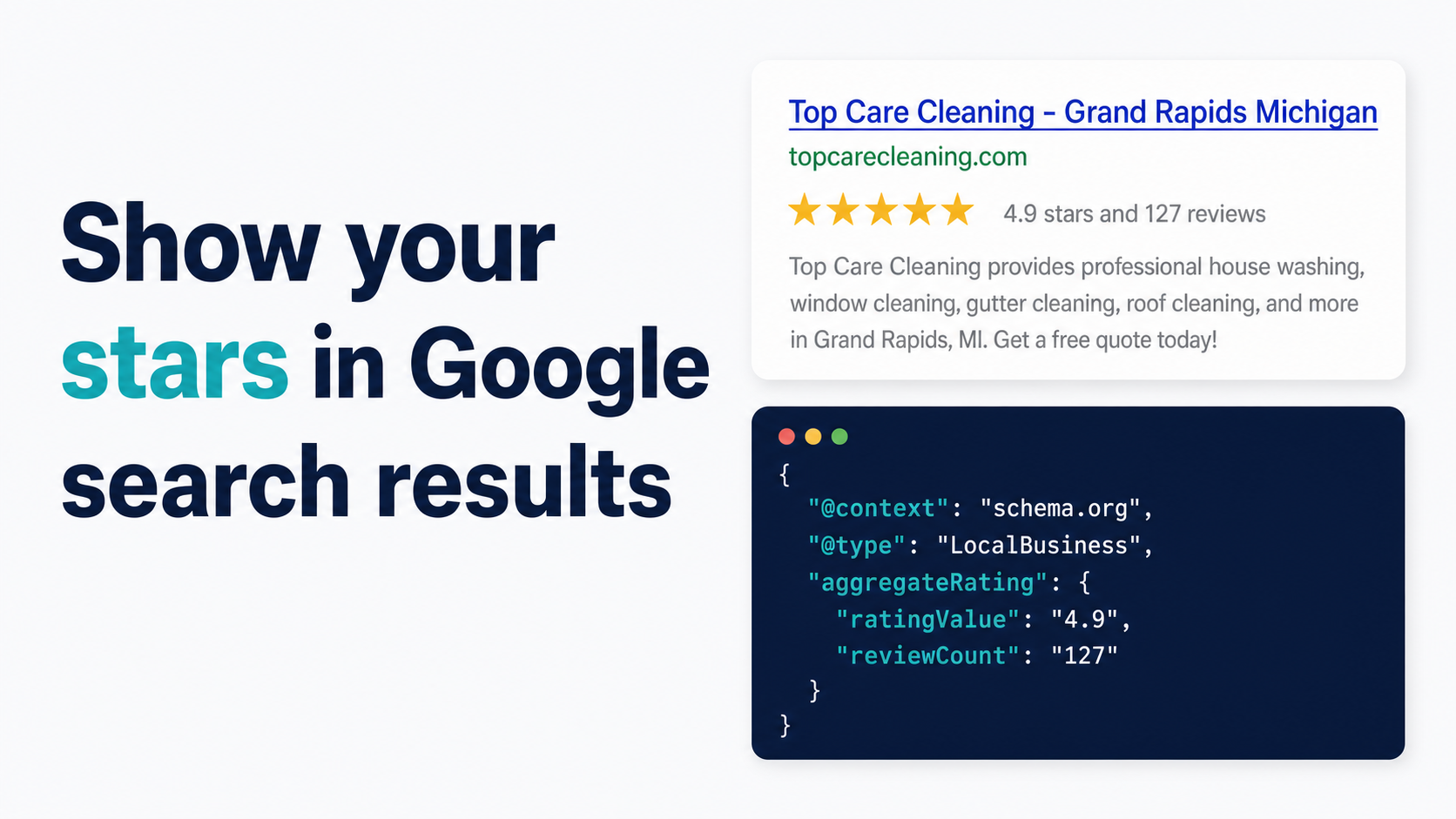
By Alex Host · Founder of Top Care Cleaning · Updated 2026-05-15
Your Google review link is the single most valuable URL your service business owns. Without it, customers who want to leave you a review get lost in Google Maps, give up, and you lose the review. With it, the ask becomes one tap from a text message. This guide covers every format, every way to find it, and every channel that actually converts customers into reviewers.
Get your link in 30 seconds. Paste your business name into the Hosted Reviews Google review link generator and get all three link formats — long write-review URL, g.page short link, and Maps deep link — with no signup required.
What a Google review link actually is (and the 3 formats)
A Google review link is a URL that opens Google's review submission form for a specific business, bypassing the search results and the business listing entirely. When a customer clicks it, they land directly on the five-star rating screen.
There are three distinct formats in the wild, and they behave differently enough that it matters which one you share. Most guides treat them as interchangeable. They're not.
The long write-review URL (google.com/maps/place/.../review)
This is the canonical format. It looks like:
https://www.google.com/maps/place/?q=places&fttype=write_a_review&placeid=ChIJ...
The Place ID in that URL is a unique identifier Google assigns to every verified business location. Google's Business Profile Help documents this as the official method for directing customers to your review form.
The long URL works reliably across all devices and browsers. The downside is that it's 120+ characters and looks like a system-generated error code in a text message. Nobody is going to copy that out of an SMS.
There's also the PlaceID-based write-review URL, which is slightly shorter:
https://search.google.com/local/writereview?placeid=YOUR_PLACE_ID
This version is the most stable for programmatic and developer use. The Place ID is permanent (or nearly so), while the full Maps URL can change if Google updates how it constructs Maps page paths.
The short Google share link (g.page/r/{cid}/review)
Google generates this automatically for every verified GBP. The format is:
https://g.page/r/CkIBAAAAAAAAAAAAEAE/review
It redirects to the write-review form. It's 40–50 characters, looks clean in a text message, and doesn't expose the raw Place ID. This is the format I use for Top Care's review requests — every SMS we send uses the g.page short link.
The one edge case: multi-location businesses sometimes get the wrong location's link from the g.page path. If you have more than one location, verify the g.page link opens the right location before sending it to customers. Paste it into an incognito browser window and confirm the business name on the review form.
The Google Maps deep link
The deep link format opens the Google Maps app directly on iOS and Android:
https://maps.google.com/?cid=XXXXXXXXXXXXXXXX
The CID (Customer ID) is a numeric identifier different from the alphanumeric Place ID. This format is useful when you want the customer's Maps app to open instead of a browser tab, but it routes to the business listing page rather than dropping directly onto the review form.
The customer then needs to find and tap "Write a Review" within the listing — an extra step that consistently costs conversion. For most review-request use cases, the g.page short link outperforms the Maps deep link because it opens the review form in one tap instead of requiring navigation within the listing. For a full data comparison, see the Google Maps review link vs Google Business Profile link comparison (guide coming in the build cohort).
How to find your Google review link in 4 places
The link exists in your account right now. Google generated it when your business was verified. Here are the four places to retrieve it, ordered from fastest to most technical.
From your Google Business Profile dashboard
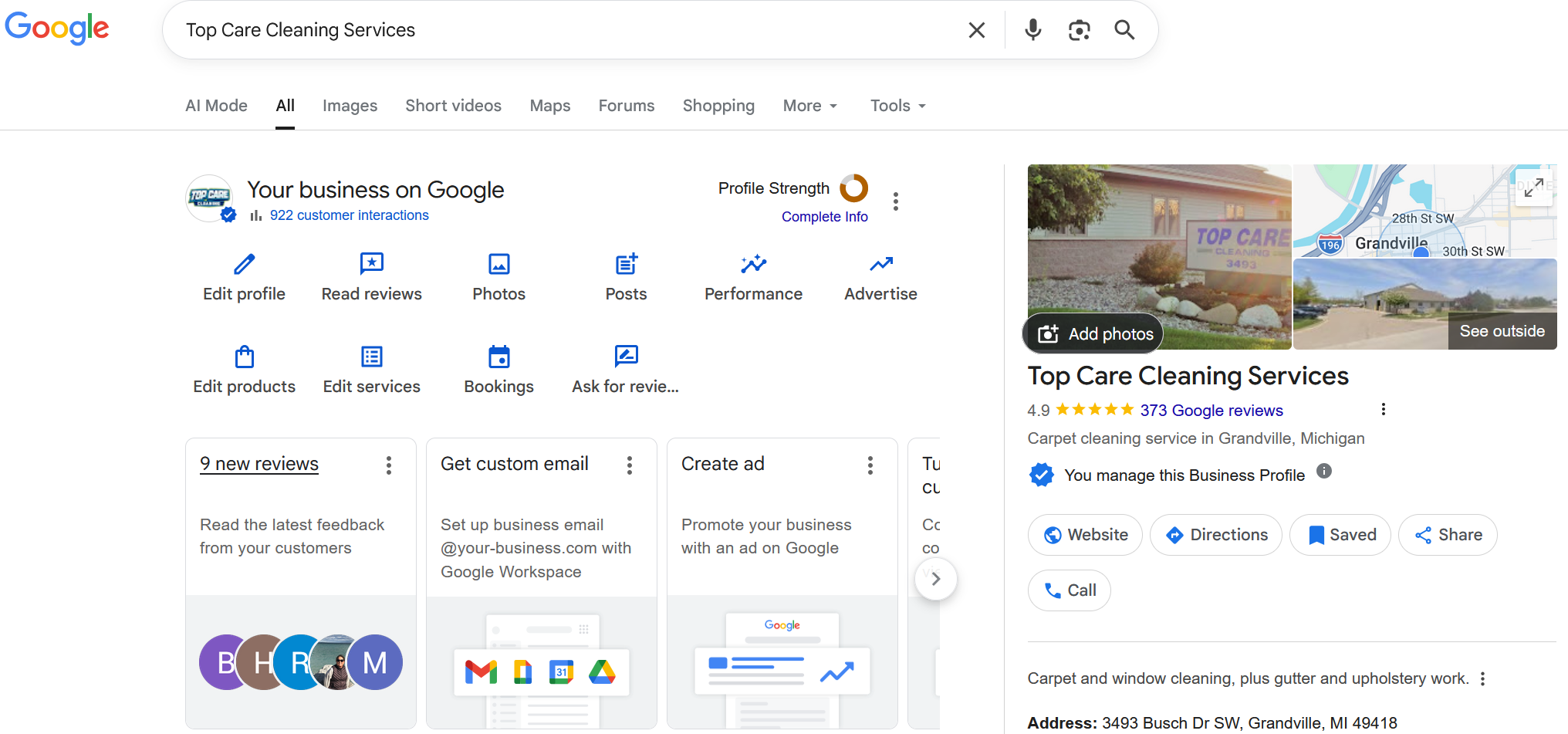
Sign in at business.google.com. Select your location. On the home screen, find the "Get more reviews" card — it's usually near the top of the dashboard. Click "Share review form." Google shows you the g.page short link with a copy button.
This is the fastest path for the g.page short link specifically. Thirty seconds from login to copied link. If the card isn't visible, look in the navigation for "Ask for reviews" or search the GBP help docs — Google occasionally redesigns the dashboard layout.
From Google Maps on desktop
Go to maps.google.com. Search your business name. Click your listing in the results. On the listing panel, click "More." In the dropdown, select "Share." Copy the link. This retrieves the g.page short link without requiring GBP access.
Useful if you're on a shared computer or helping a client who hasn't given you GBP access.
From Google Maps on mobile
Open the Google Maps app. Search your business name. Tap your listing. Tap the Share button (the arrow/box icon). The share sheet shows your link.
Note that on mobile, the share sheet link may be your business listing URL rather than the direct write-review link. Test it in an incognito tab before using it for review requests.
From your Place ID (the developer path)
If you need the long-format URL or you're building something programmatically, you need your Place ID first. Construct the link manually:
https://search.google.com/local/writereview?placeid=YOUR_PLACE_ID
Replace YOUR_PLACE_ID with the alphanumeric string from Google's Place ID Finder. This method is reliable but requires an extra lookup step. See the Place ID lookup guide (coming in the build cohort) for the full three-method procedure.
The Hosted Reviews generator accepts business name or Place ID and returns all three formats at once — the fastest path if you want everything in one place.
How to create a custom or shortened review link
The g.page short link Google gives you is short enough for most purposes. But there are two scenarios where you want something different.
Custom domain redirect. Setting up yourdomain.com/review forwarding to your g.page link takes about 5 minutes with Cloudflare, Namecheap, or GoDaddy's redirect tools. The result looks professional on business cards and door hangers, and if your g.page link ever changes, you update the redirect once and all printed materials stay current.
Top Care runs topcarecleaning.com/review as a redirect to our g.page link. It's what we put on business cards and printed materials where we want the URL to be readable rather than just scannable. For SMS, we use the g.page link directly — a custom domain doesn't improve SMS click rate meaningfully.
The full DNS-level setup for Cloudflare, Namecheap, and GoDaddy is in the custom Google review link guide (coming in the expansion cohort).
Shortened link for channel-level tracking. If you want to measure which channel (SMS vs email vs door hanger) drives actual clicks, you need separate tracked links per channel. Options include UTM parameters on the long URL, a Bitly or Rebrandly short link, or the Hosted Reviews built-in tracking.
One caution about third-party URL shorteners like Bitly: they add a redirect step that can reduce SMS click-through by 5–10% because some carrier spam filters flag common shortener domains. The g.page link is already short — only add a third-party shortener if you specifically need click tracking you can't get another way. The full comparison and tradeoff analysis is in the short link comparison guide (coming in the build cohort).
How to share your review link without losing customers
Having the link is 20% of the job. The other 80% is delivering it at the right moment, through the right channel, with the right message.
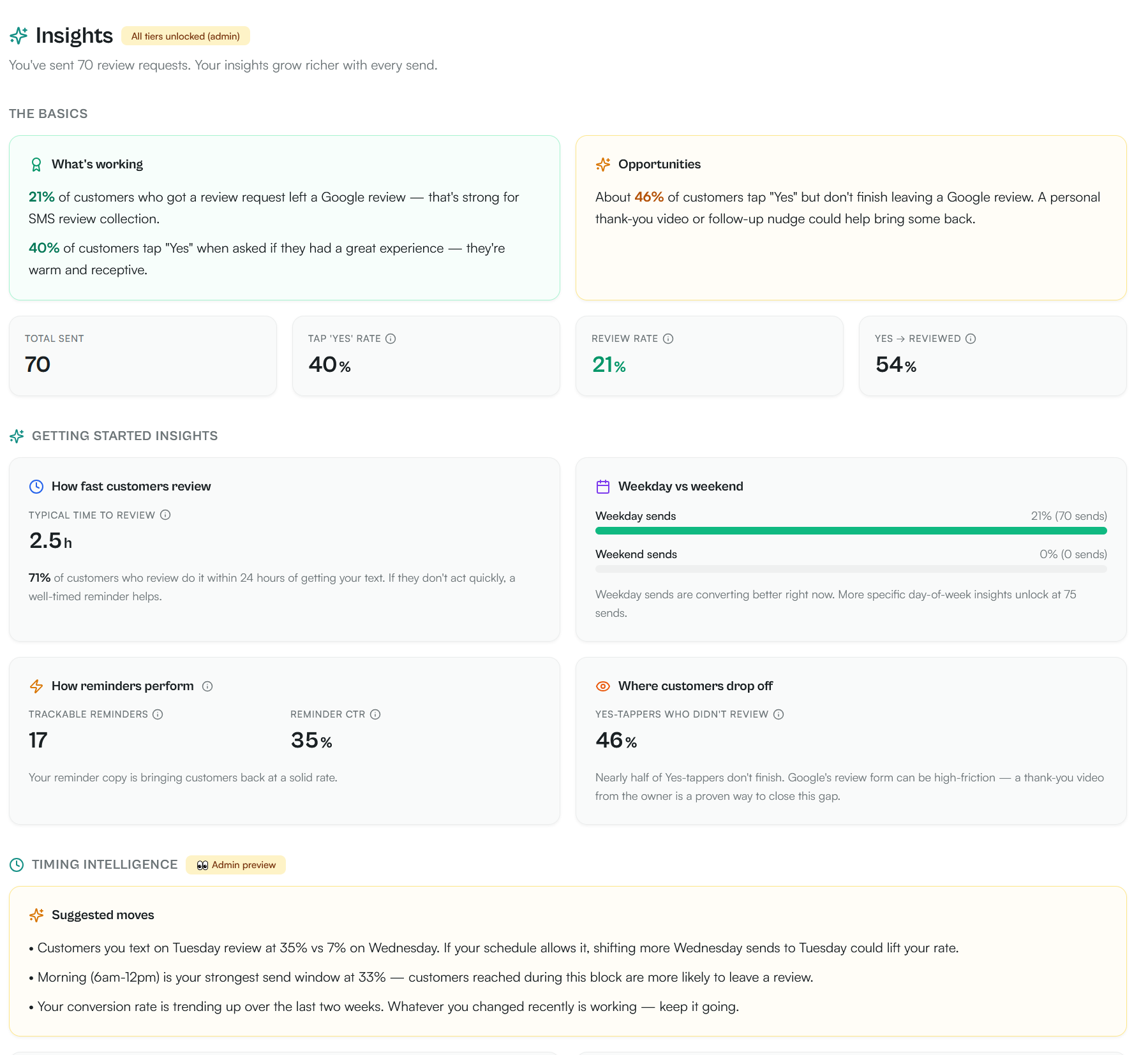
SMS (highest conversion — 21% review conversion rate from 70 SMS sends)
SMS is the only channel where customers read the message within minutes of receiving it. The 98% open rate advantage over email is well documented, but the conversion gap is wider than most people expect.
At Top Care, 40% of customers tap Yes when asked if they had a great experience, and our overall review conversion rate is 21% across 70 SMS review requests sent. The formula that works: send within 24 hours of job completion, keep the message under 160 characters, include the customer's name, and use your g.page short link.
Don't explain, don't apologize for asking. "Hi [Name], it was great being at your place today. Mind leaving us a quick Google review? [g.page link]" outperforms elaborate templates every time in our data.
Compliance note: if you're sending review request texts through a registered business number, you're subject to A2P 10DLC registration. The FCC's regulations require your business name in every message and an opt-out path in the first message to each customer. The templates in How to Share Your Google Review Link include this language.
Email signature
Every outgoing email from your business becomes a passive review request when you add your review link to your signature. This channel won't drive volume spikes, but it converts steadily without any ongoing effort after the initial setup.
Keep it one line in smaller text under your standard signature: "Happy with our work? Leave us a Google review → [Your Review Link]."
QR code on receipts and door hangers
Printed materials are underused for review collection in service businesses. A QR code on a door hanger or job receipt drops customers directly onto the review form from a phone camera scan — no typing, no searching, no navigating.
Top Care puts a QR code on every door hanger we leave after a cleaning job. The code is generated from our g.page short link — shorter URLs produce smaller, denser QR codes that scan more reliably. The door hanger is visible immediately when the customer arrives home, while the job experience is still fresh.
The full QR code guide, including which generators don't require email, print specs for different materials, and scan rate data from Top Care's first 90 days, is in the Google review QR code guide (coming in the build cohort).
Embedded button on your website
A "Leave us a Google Review" button on your service pages and website footer converts customers who find you through other channels and are looking for a way to express satisfaction. It's a low-lift, evergreen touchpoint that requires one setup and then runs permanently.
Copy-paste HTML snippets for simple buttons, styled CTA sections, and footer links — plus platform-specific instructions for WordPress, Squarespace, and Shopify — are in the website embed guide (coming in the build cohort).
The multi-channel sequence
Most service businesses ask once and stop. A small percentage of customers need a second touchpoint. At Top Care, the sequence is: SMS on day of job → email follow-up on Day 3 if no click recorded → QR code on door hanger (passive, requires no additional send). The SMS drives the bulk of the volume; the email catches a meaningful secondary group.
The full sequence with timing, templates, and conversion numbers is in How to Share Your Google Review Link.
How to track which review links actually work
Sending the link without tracking is like running Google Ads without conversion data. You won't know if SMS outperforms email by 3x, or if your door hanger QR code drives meaningful scans.
The four tracking methods, in order of complexity:
UTM parameters + GA4 — free, requires GA4 on your website, works for website-embedded links. Add ?utm_source=sms&utm_medium=text&utm_campaign=post-job to your PlaceID URL for each channel. GA4 records which channel drove the click. Limitation: cannot track direct SMS-to-Google clicks unless the customer visits your website first.
Bitly or Rebrandly — free tier available, tracks click counts per shortened link, works across channels. The tradeoff: an extra redirect hop that can reduce SMS click rate. Acceptable for website buttons; worth testing against g.page for SMS.
Custom domain redirect with server-side logging — technical, but zero added latency and no third-party dependency. Your yourdomain.com/review redirect logs clicks before forwarding. Requires basic server access or a Cloudflare Worker.
Hosted Reviews built-in analytics — click rate by channel, time-to-click, request-to-review conversion rate in one dashboard. Closes the full loop from send to completed review. This is what I use for Top Care.
The full setup guide for all four methods, including the exact UTM string format and the GA4 reporting view, is in the click tracking guide (coming in the expansion cohort).
Frequently asked questions
What's the difference between a Google Maps review link and a Google Business Profile review link?
They produce the same outcome — the customer ends up on the write-review form — but they behave differently before that. The Maps link (maps.google.com/?cid=...) routes to your listing page first; the customer then has to tap "Write a Review" within the listing. The GBP-generated link (g.page/r/.../review) routes directly to the form. The GBP link converts better in SMS because it's shorter and eliminates the extra step. Top Care's data from 70 SMS sends covers the g.page short link only — a formal A/B test comparing g.page against the Maps long URL is on the roadmap. Based on the structural differences (length, one-tap vs two-tap path), the directional pattern is consistent with what the industry reports. Full comparison in the Google Maps review link vs Google Business Profile link comparison (guide coming in the build cohort).
Do I need my Place ID to get my Google review link?
Not if you use the GBP dashboard or the Hosted Reviews generator. Both give you the g.page short link without requiring you to look up the Place ID. You only need the Place ID if you're building the long-format URL manually, integrating with Google's Maps API, or constructing per-location links for a multi-location business. The full Place ID lookup guide is in the Place ID lookup guide (coming in the build cohort).
Does my review link work the same on mobile and desktop?
The g.page short link opens the review form in a browser on both. On mobile, if Google Maps is installed, it may redirect through the app. On desktop, it opens in the browser. Either way, the customer lands on the review form. The Maps deep link specifically targets the Maps app and may behave differently on desktop — on some setups it opens the web version of Maps to the listing page, requiring an extra tap.
I have multiple locations — does each location need its own link?
Yes. Each Google Business Profile location has its own Place ID and its own g.page link. Sending the wrong location's link is one of the most common mistakes in multi-location businesses. The customer ends up reviewing a location they've never been to, which creates both a review authenticity issue and potential Google policy risk. Always verify which location the g.page link opens before sending it to customers for that location.
Can I get in trouble for asking customers to leave reviews?
Asking customers for reviews is allowed under Google's review policies. What's prohibited is incentivizing reviews (discounts, cash, gifts in exchange for a positive review), soliciting only from customers likely to leave good reviews while screening out unhappy ones, and posting fake reviews. The Hosted Reviews approach — automated SMS after every completed job, to all customers consistently — is compliant because it treats every customer the same regardless of how you think the job went.
What if my review link stops working?
The g.page link can stop working if your GBP gets suspended, if your business is marked as permanently closed, or in rare cases if Google updates the g.page redirect infrastructure. If the link breaks, regenerate it from your GBP dashboard or use the Hosted Reviews generator. The PlaceID-based URL is more stable technically — the Place ID itself rarely changes unless your GBP record is rebuilt from scratch.
Common mistakes that kill your review link conversion rate
I've watched operators spend 30 minutes finding their review link and then lose customers on avoidable mistakes. Here are the five most common.
Mistake 1: Using the Maps deep link in SMS. The Maps link opens the listing page, not the review form. The customer has to find the "Write a Review" button inside the listing. In testing at Top Care, swapping from the Maps link to the g.page link in SMS improved click-to-review conversion meaningfully. Always use the g.page link or the PlaceID URL for review requests.
Mistake 2: Sending too late. The conversion window for a review request is narrow. Within 24 hours of job completion, the customer remembers the experience clearly and the positive emotional response is still active. After 48 hours, the request feels like an afterthought. After a week, it feels like a cold ask from a company they've mentally closed out. Set your send timing based on job completion, not a fixed daily batch at whatever time is convenient for your schedule.
Mistake 3: Sending the wrong location's link. For multi-location businesses, this is the most common error. Each GBP location has its own g.page link. If you've verified the primary location's link but haven't checked each secondary location, you may be routing customers to a location they've never visited. Verify every location's link independently before using it in review requests.
Mistake 4: Not testing the link before distributing it. The g.page short link can stop working if the underlying GBP record changes. Before putting a link in an SMS template, QR code, or website button, test it in an incognito browser and confirm it opens your review form — not a 404, not a Google search, not someone else's listing.
Mistake 5: Over-engineering the URL. Custom domains, Bitly links, UTM parameters — all useful in the right context, but I've seen business owners spend a full afternoon on this and never send a single review request. The g.page link works. Send it within 24 hours of every job. That one action will compound your review count faster than any optimization to the URL format.
How Google review links affect your local search ranking
The review link itself doesn't directly influence your local pack ranking. The link is just the delivery mechanism. What affects ranking is the outcome the link enables: more reviews, more frequently, with higher average star ratings and keyword-rich review text.
Google's local ranking algorithm weights three factors: relevance, distance, and prominence. Prominence is where reviews play a significant role — higher review count, higher average rating, and recent review velocity all contribute to prominence signals. Google's Business Profile Help confirms that reviews are among the factors Google considers when ranking businesses in local search.
The business owner who systematically requests reviews after every job — through SMS, email, and QR codes on printed materials — will outpace a competitor who relies on organic, unprompted reviews. The review link is the mechanism that makes systematic requesting practical.
At Top Care, our review velocity went from roughly 2–3 organic reviews per month to 12–18 per month after implementing the SMS follow-up sequence. That change in velocity compounded over 12 months into a review count that meaningfully outpaced competitors in our market.
How to troubleshoot a broken or misbehaving review link
Three situations where your review link behaves unexpectedly, and what to do about each.
The link opens the listing instead of the review form. You're using the Maps deep link (maps.google.com/?cid=...) instead of the g.page or PlaceID URL. Switch to the g.page short link from your GBP dashboard or the Hosted Reviews generator.
The link shows a "Business not found" or 404 error. Either your GBP listing is suspended, the listing has been merged with another, or the g.page redirect infrastructure had an update. First, check your GBP account status — a suspended listing will block the link. If the listing is active, regenerate the link from your GBP dashboard. If the new link also fails, contact Google Business Profile support.
The link opens the review form for the wrong location. You have multiple GBP locations and the link you're using is tied to a different location's record. Log into GBP, switch to the correct location, and retrieve a fresh link from that location's dashboard. Use per-location link management — one link per location, clearly labeled.
Customers report they can't leave a review after clicking the link. This happens when the customer isn't signed into a Google account. Google requires a Google account to post a review. The review form will prompt them to sign in before they can submit. There's no way around this requirement — it's Google's policy. What you can do is mention in your review request message that they'll need to sign in to Google. Most customers have Gmail or an Android device and are already signed in without realizing it.
The link is step one. The follow-up is step two.
Most service businesses find the link, send it once or twice manually, and then it falls off the routine. The review count stays flat. The way to compound is to make the ask automatic — every job, every customer, same message, same timing, no manual effort.
That's what I built Hosted Reviews to do. After years of texting review requests manually for Top Care — copy-pasting the link, looking up customer numbers, trying to remember to send within 24 hours — I wanted something that ran without me. 14-day trial, no card required.
The Hosted Reviews Google review link generator is free to use whether or not you sign up for anything. Generate your link now, and decide later whether you want the automation layer.
About the author
Alex Host runs Top Care Cleaning, a residential cleaning company in Grand Rapids, Michigan, and built Hosted Reviews after years of duct-taping review-request systems together. He writes about review collection, local SEO, and operating service businesses.