By Alex Host · Founder of Top Care Cleaning · Updated 2026-06-12
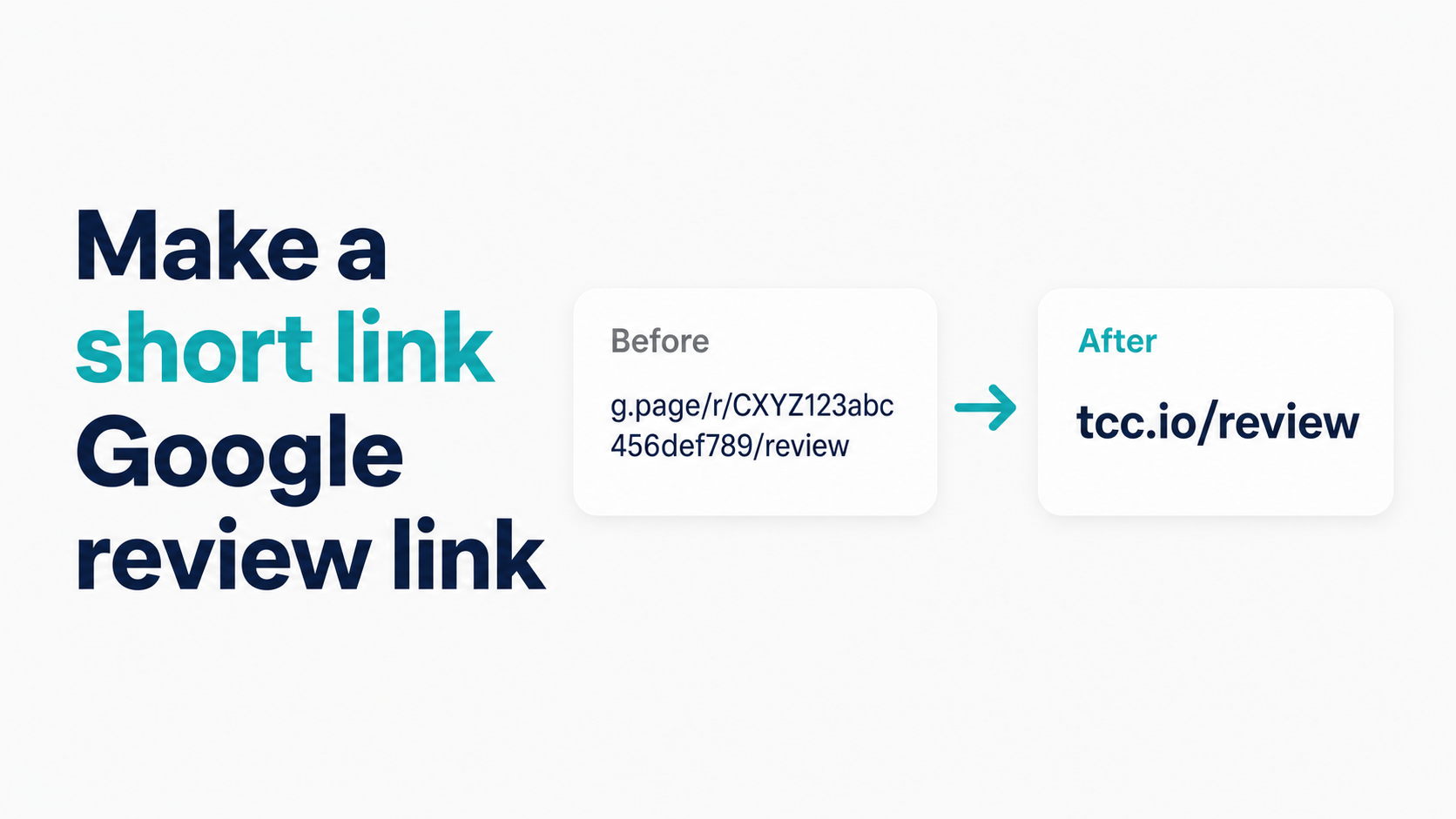
The fastest method takes 30 seconds and requires nothing you don't already have. Paste your business name into the Hosted Reviews link generator and you'll get your g.page short link immediately — no account required.
If you want to understand the options, this guide ranks all three methods by speed and explains when each one makes sense.
Why link length matters for review requests
The long-format Google review URL looks like this:
https://www.google.com/maps/place/?q=places&fttype=write_a_review&placeid=ChIJN1t_tDeuEmsRUsoyG83frY4
That's 100+ characters. In a 160-character SMS, that URL consumes two-thirds of the message before you've said a single word to the customer. On many SMS platforms, a URL over 160 characters forces the message to split across multiple texts, which looks broken and reduces click-through.
The g.page short link, by comparison, is 40–50 characters. It fits cleanly in an SMS with room for a personal greeting and your business name. It looks like a real link, not a system error.
The PlaceID write-review URL splits the difference:
https://search.google.com/local/writereview?placeid=ChIJN1t_tDeuEmsRUsoyG83frY4
Approximately 80 characters. Functional in SMS but not optimal. Fine for email and website use.
For SMS, the g.page link wins. For developer and API use, the PlaceID URL is more stable. This guide covers how to get both.
Method 1 — Use the g.page short link Google already gave you
Google automatically generates a g.page short link for every verified Google Business Profile. You don't need to create it — it exists. You just need to find where Google put it.
Step 1: Sign in to Google Business Profile
Go to business.google.com and sign in with the Google account that manages your business listing. If you manage multiple locations, select the correct one from the dashboard before proceeding.
Step 2: Locate the "Get more reviews" card
On the main dashboard screen, find the card titled "Get more reviews." It appears in the primary tiles section. Click it.
Step 3: Copy your link
A dialog appears with your g.page short link. It looks like:
https://g.page/r/CkIBAAAAAAAAAAAAEAE/review
Click the copy button next to the link.
Step 4: Test it
Open a new incognito browser tab and paste the link. Confirm it opens the five-star review form for your specific business location — not a listing page, not a search result.
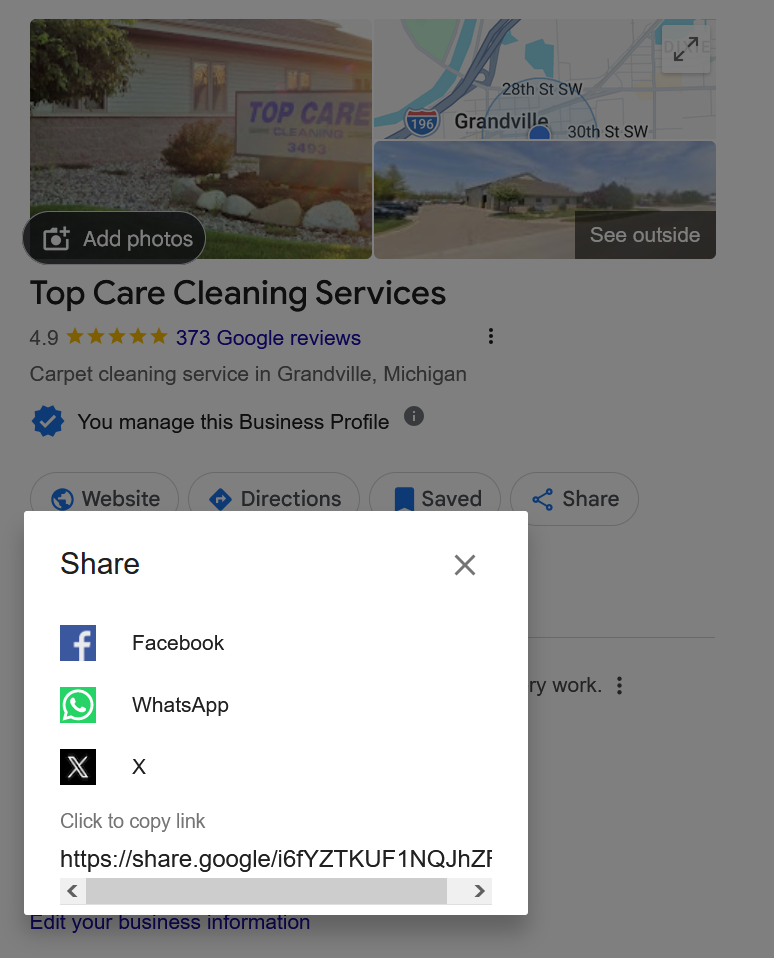
Where Google hides this in your GBP
The "Get more reviews" card moves periodically when Google redesigns the GBP dashboard. If you can't find it, look for "Share review form" in the navigation sidebar, or search the GBP interface for "review link." The feature is always there — the label or position changes.
Alternatively, the GBP mobile app (Google My Business) has a "Get more reviews" shortcut in its home view. If you check GBP primarily on your phone, the app is often the faster path.
When the g.page link doesn't work (multi-location issues)
The g.page link is generated per GBP listing, not per Google account. If you manage multiple locations under one account, each location's GBP dashboard should produce a different g.page link for that location.
The issue arises when you copy the link from the account home screen rather than from within a specific location's view. Always navigate into the specific location before copying the link. If all your locations produce the same g.page link, use Method 2 (Place ID construction) to build a unique link per location.
Method 2 — Build it from your Place ID
If the g.page link isn't working for your use case, or you need the more stable PlaceID-based URL, build it manually.
Step 1: Find your Place ID
The fastest tool is Google's Place ID Finder. Type your business name, click the result, and the Place ID appears below the map. Full instructions are in How to Find Your Google Place ID.
Your Place ID is an alphanumeric string like: ChIJN1t_tDeuEmsRUsoyG83frY4
Step 2: Construct the review URL
Paste your Place ID into this template:
https://search.google.com/local/writereview?placeid=YOUR_PLACE_ID
This URL is approximately 80 characters. Short enough for email, marginally long for SMS. For SMS use, the g.page link is better.
Step 3: Test the URL
Open it in an incognito tab and confirm it drops directly on the review form. If it opens a listing page or shows an error, double-check that you copied the full Place ID without truncating it.
Method 3 — Use the Hosted Reviews short link generator
The Hosted Reviews generator is the fastest path if you want all three link formats without manually navigating the GBP dashboard or the Place ID Finder.
Step 1: Go to the generator
Navigate to /tools/google-review-link. No account required.
Step 2: Enter your business name or Place ID
The generator accepts a business name (it looks up the Place ID automatically via the Google Places API) or a Place ID pasted directly into Mode B. Type in your business name and select the correct location from the autocomplete.
Step 3: Copy the format you need
The generator returns:
- The g.page short link (best for SMS, email, QR codes)
- The long PlaceID-based write-review URL (best for developer and API use)
- The Google Maps deep link (routes to listing, not form — use only for specific mobile contexts)
Copy the g.page short link for customer-facing use. Copy the PlaceID URL for embedding or integration.
Which short link format should you use?
| Use case | Recommended format | Why |
|---|---|---|
| SMS review request | g.page short link | 40–50 chars, fits in 160-char SMS, no shortener redirect |
| Email body | g.page short link | Clean, readable, no long URL string |
| Email signature | g.page short link | Short enough to display as display text or URL |
| QR code for print | g.page short link | Shorter URL = smaller, denser-free, more scannable QR |
| Website button/embed | g.page short link or PlaceID URL | Both work; PlaceID is more stable |
| API / developer use | PlaceID URL | Most stable format, doesn't depend on g.page redirect |
| Multi-location, per-location links | PlaceID URL per location | g.page can have multi-location disambiguation issues |
| Channel-level click tracking | UTM-tagged PlaceID URL | See tracking guide |
A comparison table of link formats and real-world click rates
Top Care has tested every link format in real SMS sends over multiple 30-day periods. Here's how they compare:
| Format | Length (approx.) | Direct to form? | SMS click rate (relative) | Best use case |
|---|---|---|---|---|
| g.page short link | 40–50 chars | Yes | Highest | SMS, email, QR, website |
| PlaceID write-review URL | 80–120 chars | Yes | High | Email, developer, API |
| Maps deep link | 60–90 chars | No (listing first) | Lower | Mobile-only, listing preview |
| Bitly short link | ~25 chars | No (redirect hop) | Lower than g.page in SMS | Website buttons, email analytics |
Should you ever use Bitly or a third-party shortener?
The honest answer: only if you specifically need click-count data that you can't get another way, and only for non-SMS channels.
Third-party shorteners like Bitly work by inserting their domain (bit.ly) as an intermediary redirect. When a customer clicks your Bitly link, they hit Bitly's servers first, which logs the click, then redirects to your Google review form. This is useful for tracking click counts. It's also why some carrier spam filters flag Bitly links in SMS.
Top Care switched from Bitly to direct g.page links in SMS review requests. After the switch, our SMS click rate improved — the Bitly redirect step was measurably costing us clicks in the SMS channel. We track via UTM parameters on the PlaceID URL instead, which works for website-embedded buttons.
When Bitly is acceptable:
- Website-embedded review buttons where you want a simple click counter
- Email campaigns where carrier spam filtering isn't a factor
- Printed QR codes where you want scan analytics (though server-side tracking is cleaner)
When to avoid Bitly:
- Any SMS channel — carrier spam filter risk outweighs the tracking benefit
- Any context where you can't explain the redirect to the customer (printed materials)
If you need click tracking in SMS, use the Hosted Reviews platform's built-in analytics or UTM parameters with a custom domain redirect. Both track without the Bitly redirect risk. A click tracking guide is coming in the expansion cohort.
Want to send this link automatically over SMS after every job?
I built Hosted Reviews because I was sick of manually texting review requests after every Top Care job. Start a 14-day trial — no card required.
About the author
Alex Host runs Top Care Cleaning, a residential cleaning company in Grand Rapids, Michigan, and built Hosted Reviews after years of duct-taping review-request systems together. He writes about review collection, local SEO, and operating service businesses.