By Alex Host · Founder of Top Care Cleaning · Updated 2026-05-04
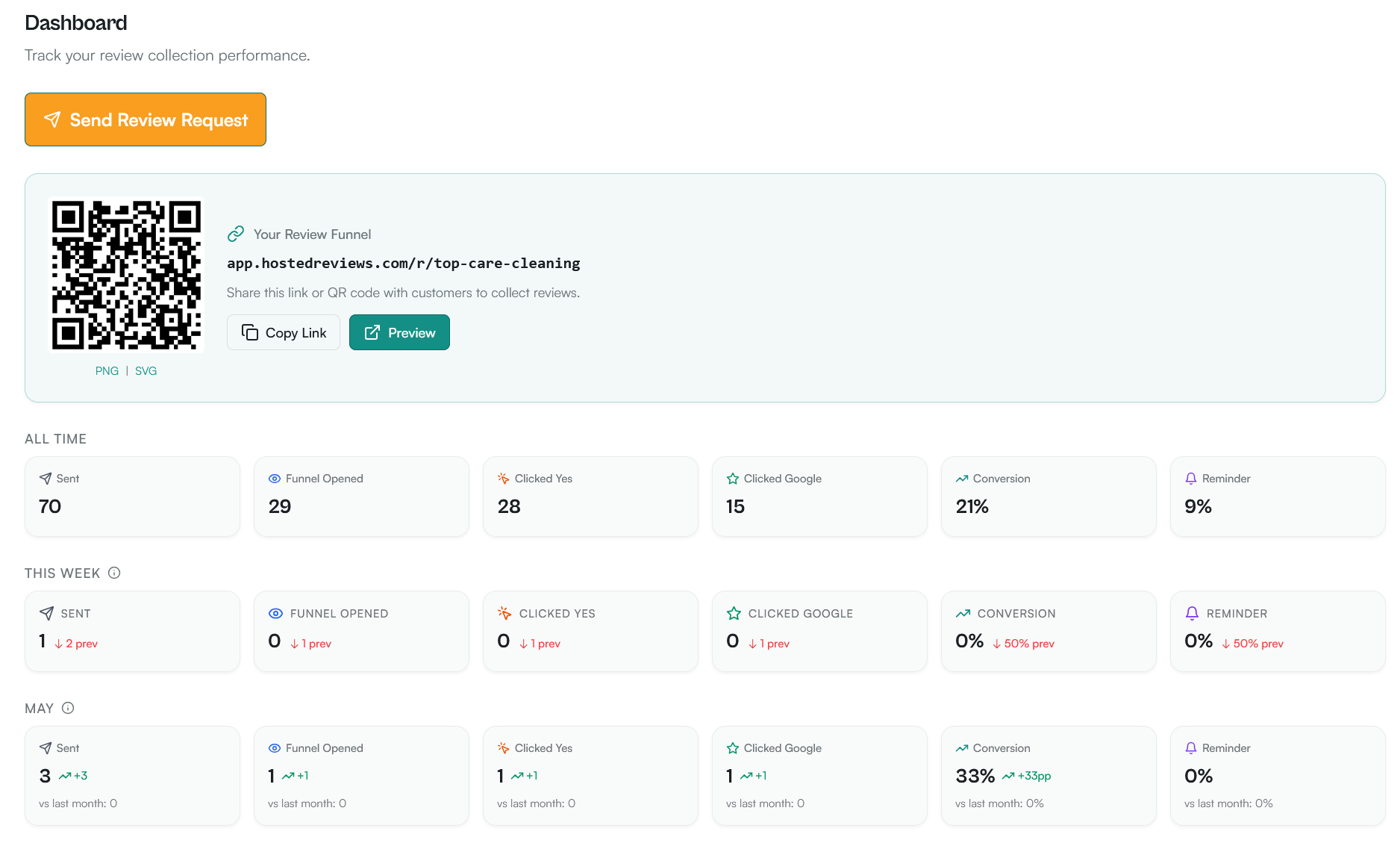
In Hosted Reviews, each review request is tied to the technician who triggered it — so when a review comes in, the dashboard shows which tech earned it. For multi-tech jobs, the attribution logic defaults to the primary tech, with an option to split or reassign. Top Care's leaderboard shows one tech converting at roughly 2× the team average.
Why tech attribution matters
The business case for per-tech review tracking
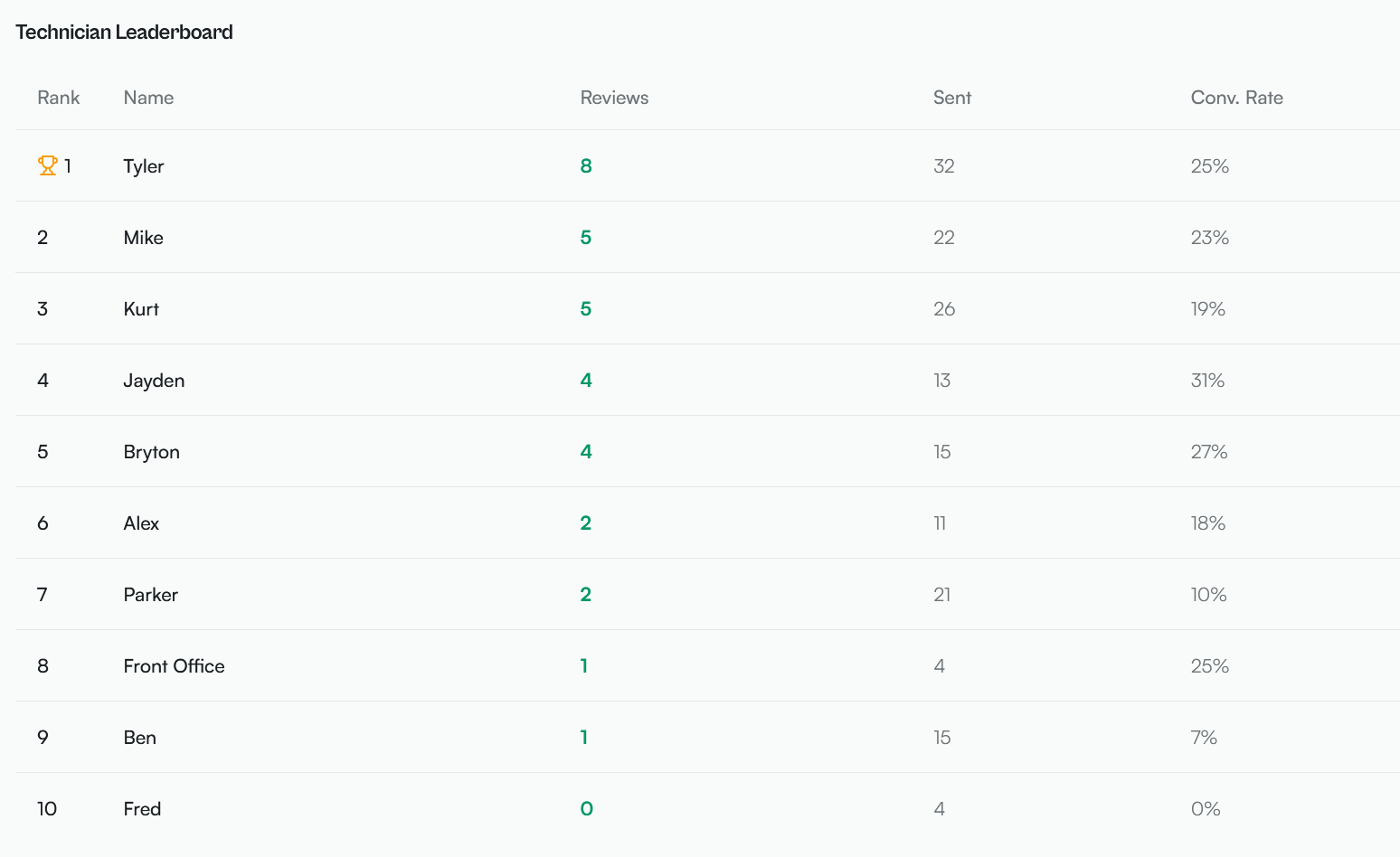
At Top Care Cleaning, we have roughly 50 technicians serving the Grand Rapids area. Not every technician converts at the same rate. The reviews dashboard shows us, by tech, how many review requests were sent and how many resulted in completed reviews.
The top-performing tech in our current data converts at roughly 2× the team average. We are not publishing specific percentages because the leaderboard data shifts as the dataset grows. What we know qualitatively: the variance is real and meaningful, and it correlates with in-person behaviors we can train for.
Using attribution data to coach underperforming techs
When a tech converts at significantly below the team average, the data opens a coaching conversation. The question is whether the variance comes from:
- Service quality — the tech consistently delivers a service that is adequate but not memorable
- Asking behavior — the tech does not mention the upcoming review request during the job wrap-up, so the SMS feels like it came from nowhere
- Route or customer mix — the tech has a disproportionate share of first-time customers who are less likely to review than regulars
- Message delivery timing — jobs are being marked complete late, causing sends to go out outside the optimal window
Per-tech data cannot tell you which factor is responsible — but it tells you which technicians to have a conversation with. The coaching goes from "here is what the data shows" to "let's figure out together what we might adjust."
The motivational side: leaderboards as a performance tool
Some teams respond well to visible leaderboards. At Top Care, showing technicians their own review attribution rate (how many reviews they personally generated) creates a connection between their daily work and the business's online reputation.
A tech who understands that their name appears in the review request text — and that customers who tap Yes are responding to them specifically — starts to understand why the end-of-job ask ("I'll send you a text about a review — would that be okay?") matters.
Leaderboards work best when the data is visible to everyone on the team, not just managers, and when high performers are recognized rather than low performers singled out. The positive framing ("Tech A generated 12 reviews this month") is more motivating than the negative one.
Single-tech jobs — the simple path
How Hosted Reviews links the request to the job
For a single-tech job, attribution is automatic. When a job is marked complete in the scheduling system, the review request is tagged with:
- The job ID
- The assigned technician
- The customer
- The completion timestamp
When the review request sends and a customer later leaves a review, the Hosted Reviews dashboard connects the review to the original send — and therefore to the tech who triggered it.
What the tech's name in the review message does for conversion
The tech name in the message ("Hi {name}, thanks for having us out today... — {tech_name}, Top Care") creates a personal attribution before the review request even arrives. The customer is reminded of the specific person they interacted with, which activates the personal relationship from the service itself.
Industry SMS personalization data suggests that including a specific name (rather than just a business name) in a marketing text increases open and engagement rates. At Top Care, all templates include both the customer's first name and the tech name — we have not run an isolated test of tech name vs no tech name, but the structural reasoning is strong.
For the full discussion of personalization variables and their impact on template conversion, see Review Request Templates: SMS, Email, and In-Person Scripts That Work.
Multi-tech jobs — the attribution problem
What counts as a multi-tech job
At Top Care, certain job types send two technicians to the same appointment — typically for initial deep cleans on larger homes, or for specialized exterior cleaning jobs that benefit from two-person operation. When two technicians work the same job, the review request still goes to one customer. The question is: which tech gets credit for the review?
How to decide which tech gets attribution
The two most common attribution rules for multi-tech jobs:
Primary tech rule: The tech who is designated as the "lead" for the job (usually the senior tech or the one who handles the customer interaction at the door) gets attribution. This is the simplest rule and the one that minimizes edge cases.
Team-leader rule: The tech who manages the client relationship gets attribution, regardless of job type. For businesses where client relationships are managed by a specific technician across multiple visits, this keeps attribution consistent over time.
At Top Care, we use the primary tech rule for simplicity. The attribution is set at the time the job is created and carries through the review request automatically.
The review request message for a two-tech job
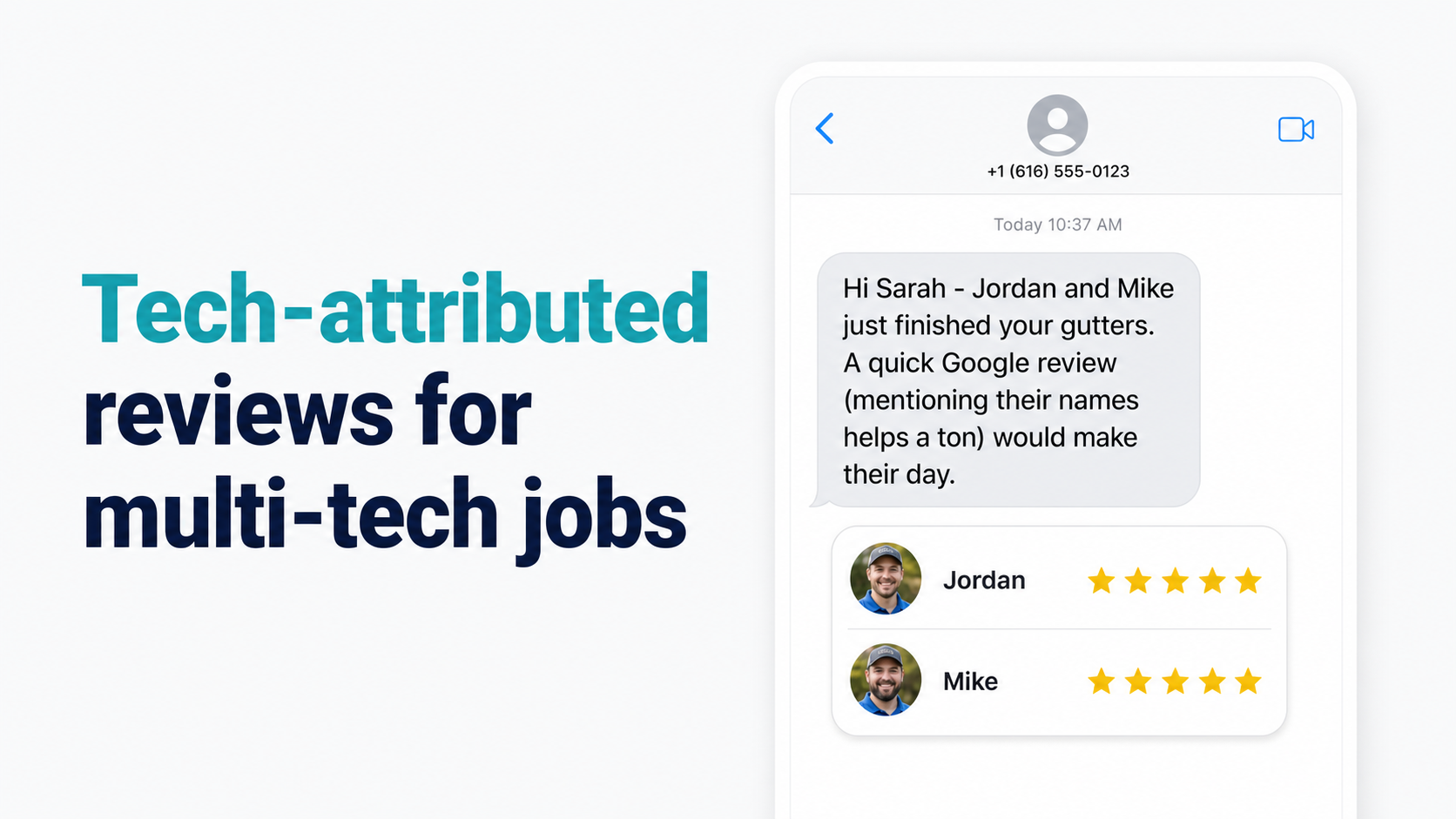
When both technicians are named in the review request, the message feels more authentic for jobs where the customer genuinely interacted with both:
"Hi {customer_first_name}, thanks for having both {tech_1} and {tech_2} out today. If everything looked great, we'd love a quick Google review: {review_link} — Top Care"
This template works well when both techs interacted with the customer directly. For jobs where one tech was primarily customer-facing and the other was working independently inside the property, the standard single-tech template may actually be more appropriate.
Setting up tech attribution in Hosted Reviews
How to configure per-tech fields in the app
In Hosted Reviews, tech attribution is tied to the job record. When you create or import a job, you assign one or more technicians. The primary tech field drives the attribution in the review request.
For businesses that import jobs via API or scheduling app integration, the technician field maps automatically from the scheduling app's job data. For manual job entry, the tech field is selected from a dropdown list of your team members.
The merge tag {tech_name} in your SMS template pulls from the primary tech field on each job — so every customer automatically receives a personalized message from the tech who served them.
How to read the leaderboard dashboard
The per-tech leaderboard in Hosted Reviews shows:
- Total review requests sent per tech (last 30 days, last 90 days, all time)
- Total reviews completed attributed to each tech
- Review-to-send rate per tech
The leaderboard is sortable by any of these columns. Sort by review-to-send rate (rather than total reviews) to identify high-converting techs as a percentage of their sends, not just by volume.
High-volume techs with many sends will naturally have higher total review counts. The conversion rate shows which techs are genuinely better at generating reviews relative to how many jobs they run.
I built Hosted Reviews to give operators this level of visibility into their team's review performance. 14-day trial, no card required.
The per-tech follow-up question
If a tech is underperforming on review conversion
When a technician's review-to-send rate is consistently below the team average, the attribution data prompts a coaching conversation:
- Is the message personalized correctly? Check that the tech's name is displaying correctly in the merge tag. A job marked with the wrong tech name sends the wrong attribution.
- Is the tech doing the pre-send verbal ask? The verbal mention at job completion ("I'll send you a quick text about a review — is that okay?") primes the customer to expect and open the message. Techs who skip this step typically see lower conversion.
- Is the timing right for this tech's jobs? If a tech primarily runs late-afternoon jobs that send in the evening window (weaker than morning), the timing variable may explain part of the difference.
For the copy testing framework — including how to A/B test different template versions across tech segments — see A/B Testing Review Request Copy: What to Test and What Top Care's Data Shows.
Using reminder cadence per-tech
The reminder cadence (one follow-up at Day 4–5) applies per customer regardless of which tech triggered the original request. Hosted Reviews handles this automatically.
For the full reminder cadence strategy, see Reminder Cadence for Review Requests: How Many Follow-Ups, How Far Apart.
Frequently asked questions
What happens if the customer mentions a different tech in their review than the one who triggered the request?
The attribution in Hosted Reviews is based on who triggered the review request (the primary tech on the job), not who the customer mentions in the review text. If a customer says "Jose did a great job" in a review that was attributed to Maria (because Maria was the primary tech), the attribution stays with Maria in the dashboard. The actual review content mentioning Jose is still a positive signal for Jose — it just does not affect the Hosted Reviews attribution count.
Can a tech see their own review conversion rate in Hosted Reviews?
Yes — if you enable team-member visibility in your account settings, each tech can see their own attribution data. This is a powerful motivational tool for team members who are engaged in the business's growth. Some businesses choose to share the full leaderboard; others show each tech only their own data.
What if two techs share a job but one did most of the work?
Use the primary tech rule: assign attribution to the tech who was most customer-facing. If the work split is equal and both techs interacted significantly with the customer, use the two-tech review request template.
Does tech attribution affect Google in any way?
No. Google's review system does not track which employee of a business triggered a review request. Reviews are attributed to the business, not to individual employees, in Google's system. Tech attribution is an internal operations tool — it tells you which of your team members is generating reviews for your business, but it has no effect on how Google displays or ranks those reviews.
What if a tech leaves the company — do their attributed reviews still count?
Yes. Reviews attributed to a tech who has since left the company still count toward your business's total Google review count and star rating. The Hosted Reviews attribution data is internal — it does not affect the customer-facing reviews on Google.
The system that gives you this visibility
Per-tech attribution, multi-tech job handling, and the leaderboard dashboard are built into Hosted Reviews from the first send.
I built Hosted Reviews to automate this for Top Care Cleaning — and now for other local service businesses. 14-day trial, no card required.
About the author
Alex Host runs Top Care Cleaning, a Grand Rapids home services company with 400+ Google reviews, and built Hosted Reviews to automate what he was doing manually. Reviews-facet bio.
I run Top Care Cleaning, a Grand Rapids home services company with 400+ Google reviews, and built Hosted Reviews after manually asking for reviews for years. The data in these articles comes from our own system. — hostedbrands.com/about