By Alex Host · Founder of Top Care Cleaning · Updated 2026-05-04
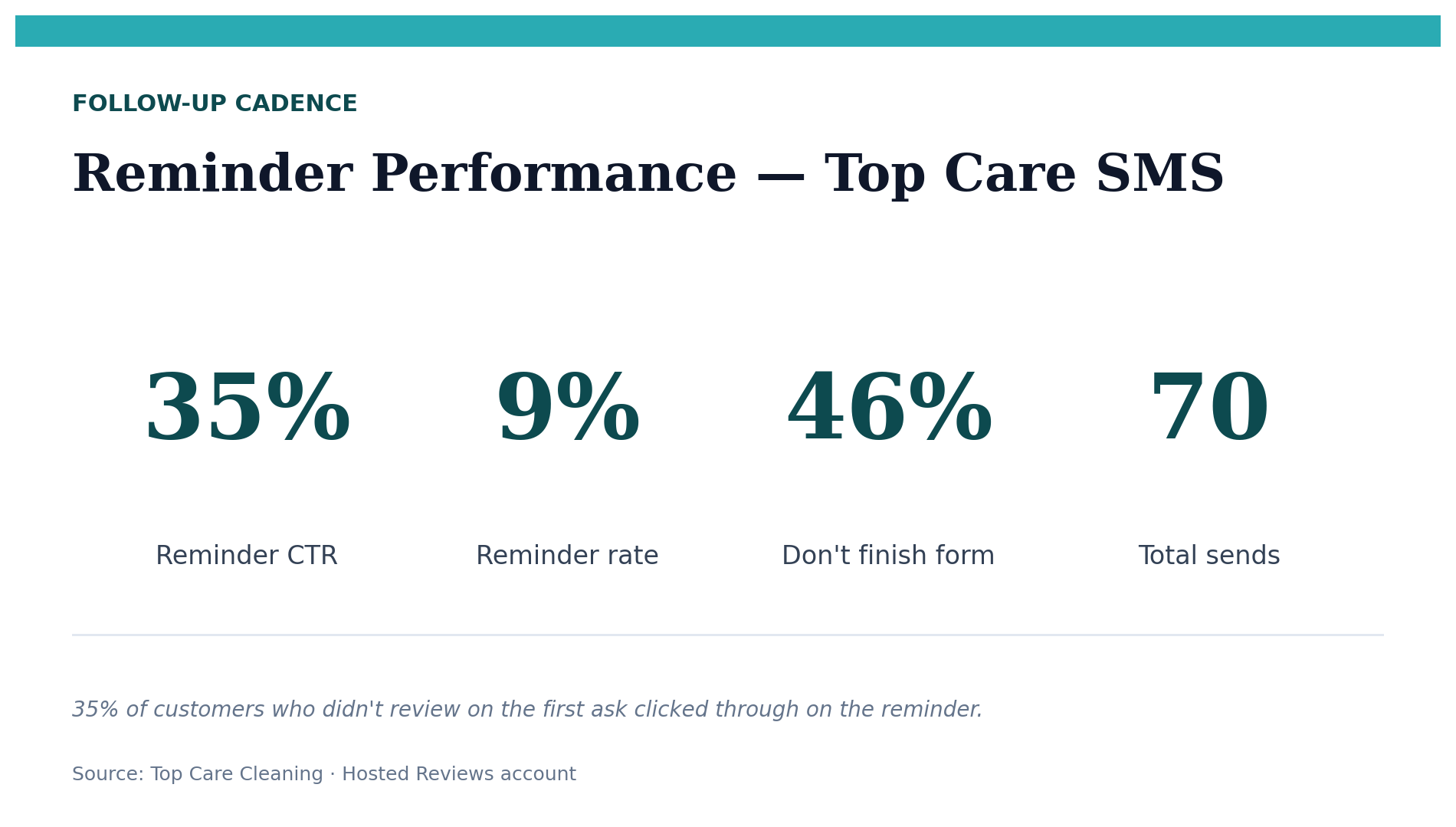
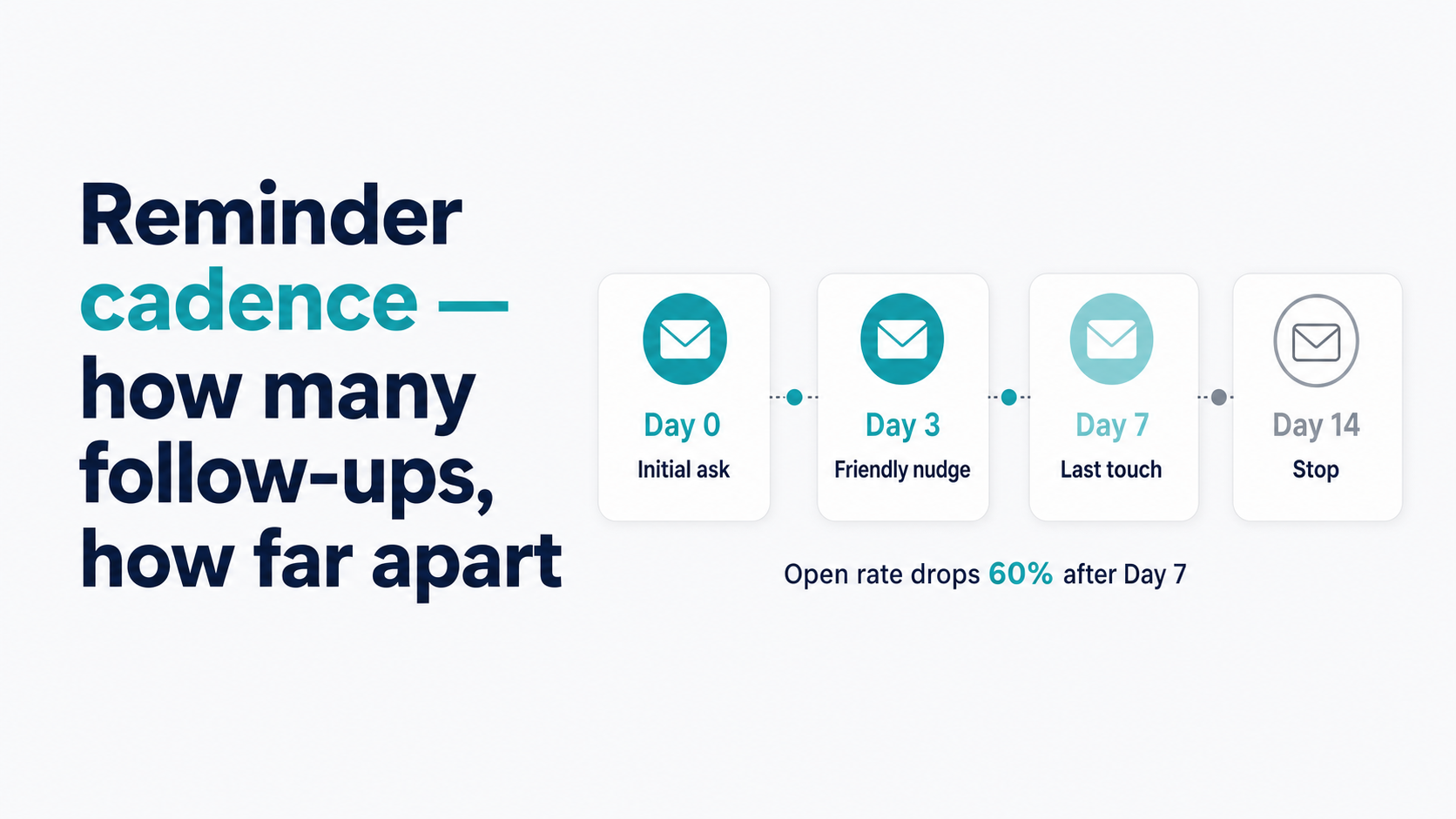
Send one reminder, 3–5 days after the first request, if the customer has not clicked the review link. At Top Care Cleaning (n=70 sends), the first reminder has a 35% click-through rate. A second reminder beyond Day 7 rarely converts and risks feeling intrusive.
Why reminders work (the attention problem)
Most non-responses are friction, not rejection
A customer who received your review request text and did not respond is not necessarily a customer who decided against leaving a review. More often, the sequence of events looks like this: text arrives, customer opens it, intends to act, gets distracted, phone goes back in pocket. By the next morning, the review request is buried under 30 new messages.
This is not a judgment about your business or your service quality. It is the normal attention economy at work. The average smartphone user receives dozens of notifications per day. A review request text competes with messages from family, work emails, app updates, and news alerts.
The reminder is a deliberate re-entry into that attention window. It says: you said you'd do this; here's the link again if you still want to.
Top Care reminder data: 35% click-through on the first reminder
In our Top Care data (n=70 sends through 2026-05-04), the first reminder has a 35% click-through rate. A clarification on what this means: 35% of customers who had not clicked the review link after the first request did click through after the reminder message.
This does not mean 35% of those reminder recipients ultimately left a completed review. Some clicked through and completed; some clicked through and did not complete. The click-through rate is the engagement signal; the completion rate from that cohort is not yet tracked separately.
What the 35% CTR tells us: reminders are working. One in three non-responders engages when given a second prompt. That is a meaningful recovery rate that justifies the one-reminder send.
The recommended cadence
Day 1: First review request
The initial review request goes out within 24–48 hours of job completion. This is the primary send — the moment when the customer's memory of the service is freshest and motivation to leave a review is highest.
For timing detail on the first send — including day-of-week patterns (Tuesday 35% vs Wednesday 7%) and time-of-day data (morning 33%) — see The 24–48 Hour Window: Why Timing Your Review Request Wins.
Day 4–5: First reminder (if no click)
Send the reminder 3–5 days after the first request if the customer has not clicked the review link. The timing gives the customer a few days to act on the first message before the reminder arrives, without letting so much time pass that the job experience has completely faded.
Why 3–5 days and not Day 2 or Day 3? Same-day or next-day reminders are likely to feel impatient. If the customer intended to review and just got busy, give them a day or two before the follow-up. If they actively decided not to review, a Day 2 reminder is going to feel like pressure.
Day 7+: Stop
No further automated contact after the first reminder goes unanswered. If the customer has not reviewed by Day 7 despite a first request and a reminder, they have either opted out mentally or will review at their own pace without prompting.
Summary table:
| Request round | Timing | Expected engagement | Action if no click |
|---|---|---|---|
| 1st request | Day 1 (within 24–48 hours of job) | Primary conversion window | Queue reminder for Day 4–5 |
| 1st reminder | Day 4–5 | 35% CTR at Top Care (n=70) | Stop — no further automated sends |
| 2nd+ | Day 7+ | Not recommended | Move to passive no path |
What to say in the reminder
Reminder template
The reminder should be noticeably shorter and lighter than the first ask. The first message did the work of explaining the request. The reminder is just a re-delivery of the link with a softer, more casual tone:
"Hi {customer_first_name}, just a quick follow-up — if you had a great experience with Top Care, we'd still appreciate a quick Google review when you have a moment: {review_link}. Thanks, {tech_name}"
Four things this template gets right:
- "Just a quick follow-up" — acknowledges this is not the first message; treats the customer as an adult who knows they received an earlier request
- "When you have a moment" — reduces pressure; makes it easier to respond
- "Thanks" — ends on appreciation, not demand
- Tech name — maintains the personal relationship from the original request
Tone adjustment for the reminder
The first message can be warm and enthusiastic ("we'd love a Google review!"). The reminder should be even lower-key. Enthusiasm on a follow-up message reads as pressure if the customer has already seen the request once.
The softer tone also signals confidence: you are not desperate for the review, you are just giving the customer another easy on-ramp if they want to use it.
For the full template library including variations by vertical and channel, see Review Request Templates: SMS, Email, and In-Person Scripts That Work.
How many reminders is too many
The one-reminder rule
For most service businesses and most customers, one reminder is the maximum. The math is against additional sends:
- The 35% CTR on the first reminder captures most of the recoverable customers
- A second reminder has a substantially lower CTR — we don't send a second reminder at Top Care, so we have no first-party data, but the directional pattern from SMS engagement research broadly suggests diminishing returns after the first follow-up
- A second reminder risks irritating a customer who ignored the first for a reason
The relationship cost of over-messaging a customer you want to retain for recurring business almost always outweighs the marginal review conversion from a second reminder.
When a second reminder might be warranted
There is one narrow exception: a very long-term recurring customer with whom you have a strong personal relationship, where the context makes it natural to follow up. In that case, a personal text from the owner — not an automated system — is more appropriate than a second automated reminder.
The key distinction: personal outreach from a human, not another automated message in the review request funnel.
What happens to customer relationships if you over-message
A customer who feels harassed by review requests is not going to tell you they are irritated — they are going to stop booking, or they are going to leave a negative review about "being pestered." Neither outcome is worth the marginal conversion of a third review request text.
For the handling of customers who actively decline or opt out, see What to Do When a Customer Says No to Your Review Ask.
Reminder timing by day of week
The timing patterns from the initial send also apply to reminders. Tuesday morning sends outperform other windows at Top Care (35% vs 7% on Wednesday, 0% on weekends). If the reminder falls on a Wednesday or weekend based on the Day 4–5 calculation, consider:
- If Day 5 is a Wednesday, send on Thursday morning instead (modest improvement over Wednesday)
- If Day 4 is a Saturday, delay the reminder to Monday morning
- If Day 5 is a Sunday, send Monday morning
Do not hold the reminder more than 7 days after the original request. At that point, the job is more than a week old and the review window has largely closed.
Setting up reminders in Hosted Reviews
How the reminder automation works
In Hosted Reviews, the reminder is configured as a conditional follow-up step: it fires X days after the first request if and only if the customer has not clicked the review link. This prevents reminders from going to customers who already reviewed (or who clicked through and may still review).
Configuration options:
- Reminder delay (Days 3–7 from the first send — we use Day 4)
- Reminder message text (separate template from the first request)
- Whether to apply the same screening message filter or send the reminder directly to the review link
At Top Care, the reminder goes directly to the review link (no second screening step) since the customer already tapped Yes on the initial screening. A reminder through a second screening message adds unnecessary friction.
I built Hosted Reviews to run this sequence automatically for Top Care Cleaning — and now for other local service businesses. 14-day trial, no card required.
A/B testing your reminder cadence
The reminder is one of the most testable variables in the review request system. Variables worth testing:
- Day 3 vs Day 5 reminder — does an earlier reminder recover more customers or feel pushy?
- Reminder tone — very casual vs slightly more formal
- With or without tech name — does the tech name in the reminder still add conversion value?
For the full framework on A/B testing review request copy and cadence, see A/B Testing Review Request Copy: What to Test and What Top Care's Data Shows (publishing in the expansion cohort).
Frequently asked questions
How long after no response should I send a reminder?
3–5 days after the initial request. Day 4 is our default at Top Care. This gives the customer a few days to act on the first message without letting the job become a distant memory before the reminder arrives.
Should the reminder say it's a reminder?
Yes — briefly. "Just a quick follow-up from my earlier text" acknowledges that this is not the first message. Customers know they received the first request; pretending otherwise feels evasive. Acknowledging the follow-up is more respectful of the customer's intelligence.
Does sending too many review requests hurt my reputation with customers?
For recurring customers: yes, over-messaging creates friction in a relationship you want to maintain long-term. One request and one reminder is the right ceiling. For one-time customers, the downside risk is lower, but the same principle applies.
What if the customer clicked the link but did not review?
A click without a review completion means the customer opened the form but did not submit. This is the drop-off cohort covered in What to Do When a Customer Says No. A reminder still applies — the customer showed intent by clicking.
Can I send a third reminder?
No — at least not through the automated system. If you want to follow up with a long-term recurring customer, do it personally and well after the original request cycle has closed.
The system that automates this cadence
The reminder cadence — first request Day 1, reminder Day 4, stop at Day 7 — runs automatically in Hosted Reviews with no manual management after initial setup.
I built Hosted Reviews to automate this for Top Care Cleaning — and now for other local service businesses. 14-day trial, no card required.
About the author
Alex Host runs Top Care Cleaning, a Grand Rapids home services company with 400+ Google reviews, and built Hosted Reviews to automate what he was doing manually. Reviews-facet bio.
I run Top Care Cleaning, a Grand Rapids home services company with 400+ Google reviews, and built Hosted Reviews after manually asking for reviews for years. The data in these articles comes from our own system. — hostedbrands.com/about