By Alex Host · Founder of Top Care Cleaning · Updated 2026-05-04
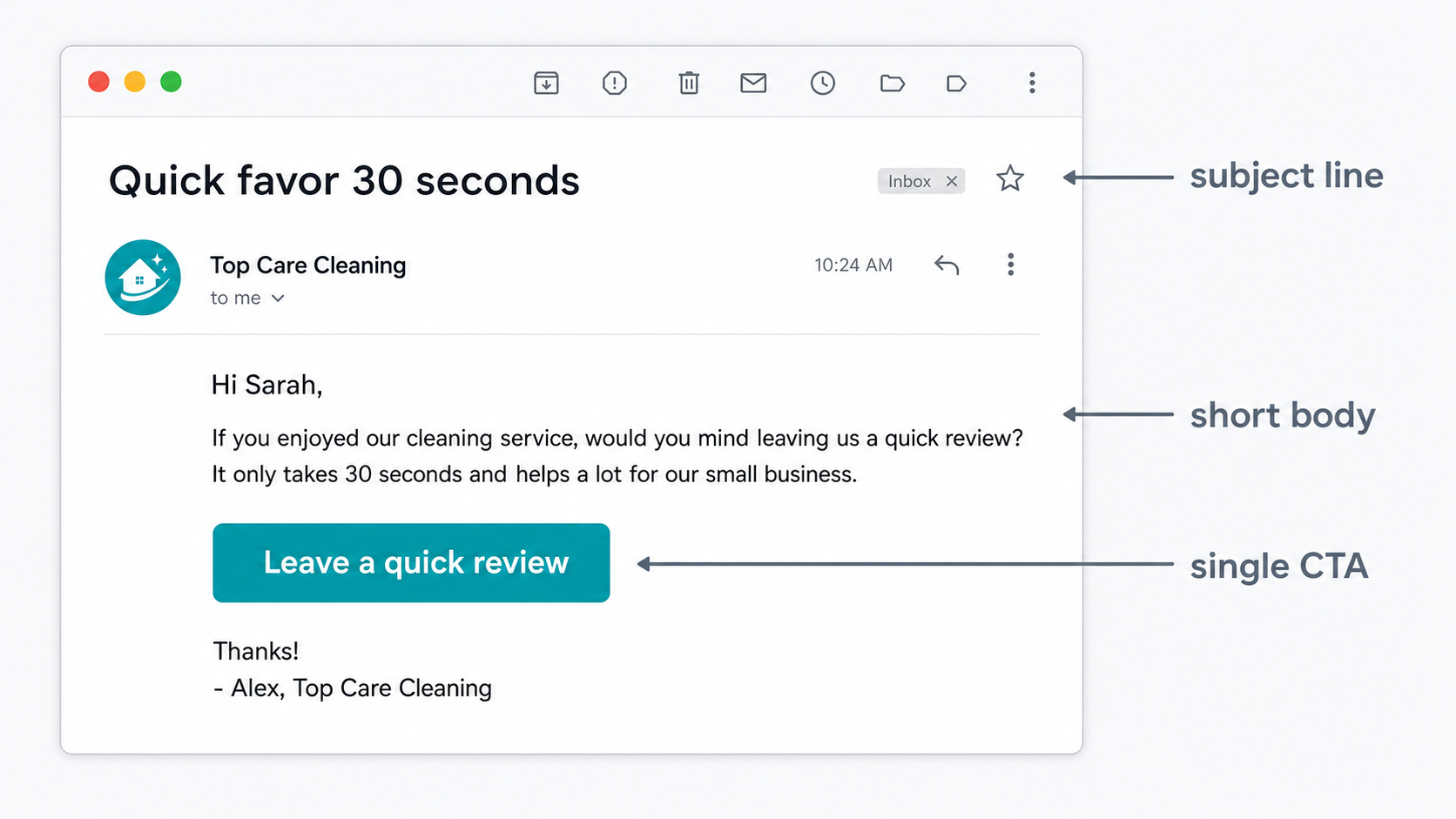
A review request email works best when it is short (under 60 words), sent within 48 hours of service completion, and personalized to the technician and service. The subject line matters more than the body — three patterns that get opened are listed below.
When email makes sense for review requests
You have email but not a mobile number
This is the most practical scenario: a customer booked online, you have their email from the invoice, but you never collected a mobile number. The alternative is not asking for a review at all — which means leaving conversions on the table.
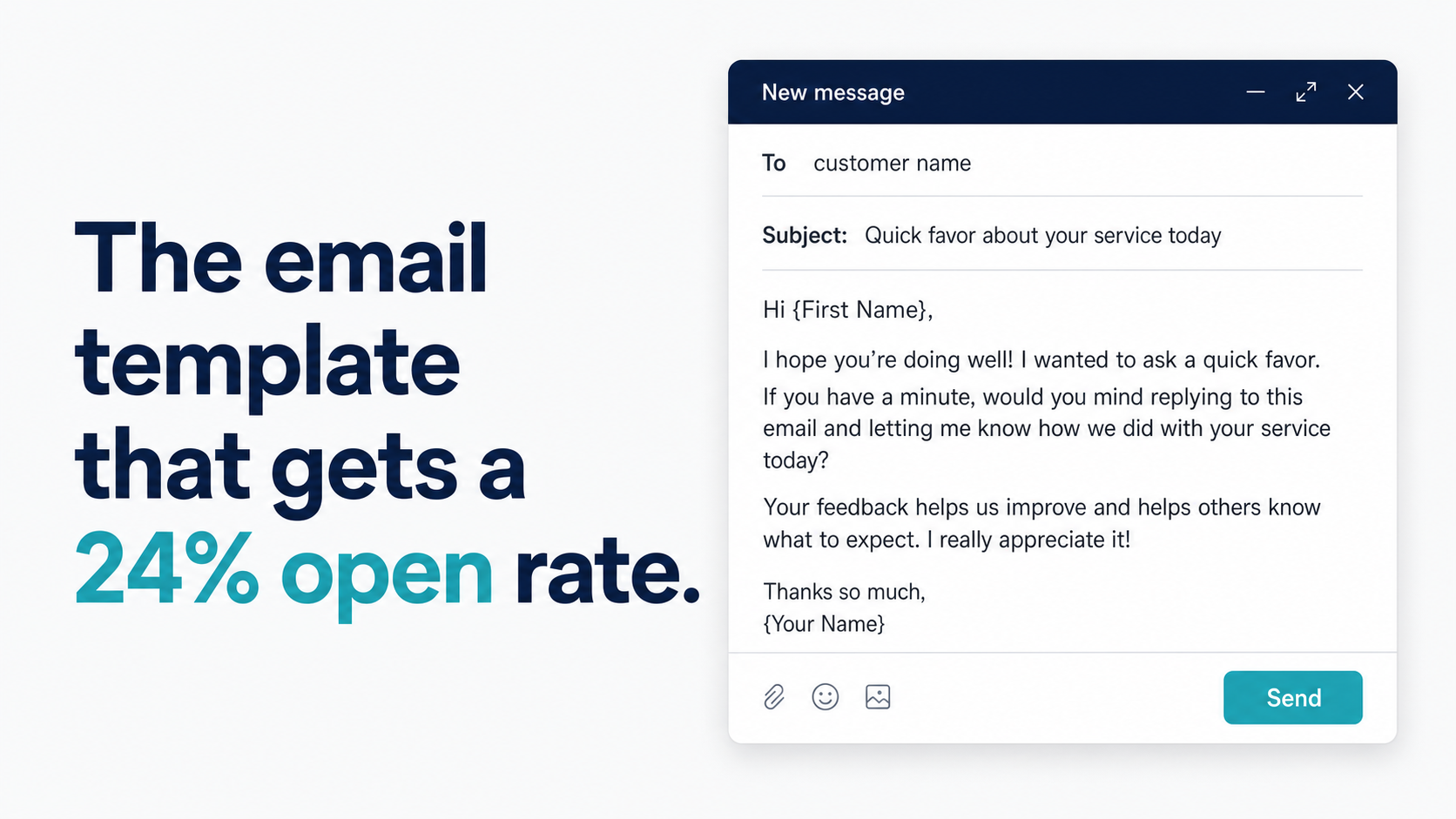
A well-structured email sent the day after service still converts. Industry benchmarks for service-business email in this category suggest 20–25% open rates (Mailchimp service-industry averages) and review-to-send conversion around 2–5%. Those numbers are lower than SMS, but they are not zero.
The honest comparison: SMS converts at 21% in Top Care's data (n=70). Email benchmarks suggest 2–5%. See SMS vs Email for Review Requests for the side-by-side data.
Top Care's review system is SMS-first. Our email arm is not yet live — these templates follow the same structural principles as the SMS templates we have validated, adapted for the email format. Performance benchmarks here use BrightLocal and Mailchimp service industry averages; we will update with first-party data when the email arm launches.
Email as a follow-up after SMS
The two-channel sequence that maximizes coverage without being intrusive:
- Day 1: SMS review request (primary channel)
- Day 3: Email follow-up if the customer has not clicked the review link
- Day 7+: No further automated contact
The email in this sequence is not a separate review request — it is a second touchpoint for customers who missed the first one. Use a lighter tone: "Following up on the text I sent earlier this week — if you had a great experience, we'd still love that Google review."
Honest comparison: SMS vs email conversion
In Top Care's data, SMS converts at 21% (n=70). Industry benchmarks for email review request conversion are 2–5%. Top Care has not run a head-to-head comparison because our email arm is not yet live.
The context: email benchmarks include all types of post-service emails across all service verticals. A personalized, well-timed review request email from a company the customer just worked with will likely outperform the category average. But "outperform 2–5%" still means substantially lower conversion than a well-run SMS campaign.
The practical recommendation: use email when you do not have a mobile number, or as a supplement to SMS in a multi-day sequence. Do not replace SMS with email if you have access to mobile numbers.
The anatomy of a review request email
Subject line (the open-rate lever)
The subject line determines whether the email gets opened. A review request that arrives in the inbox with a weak subject line becomes a 0% converter — the customer never reads the body.
Three subject line patterns with the highest directional open rates for post-service emails:
Pattern 1 — The name and service reference:
"How did your cleaning go, [First Name]?"
This works because it is specific, personal, and signals the email is about the customer's actual job — not a promotional blast.
Pattern 2 — The direct ask:
"Quick favor from [Company Name]"
Direct and honest. The customer knows what to expect before they open. No deceptive "you have a pending action" framing.
Pattern 3 — The thank-you frame:
"Thanks for having us at your home yesterday"
Relationship-first. Opens as an expression of appreciation, not a request. The review ask comes in the body.
Avoid: "Feedback Request," "Please Complete Our Survey," "Action Required," and any subject line that implies multiple steps. These read as administrative tasks, not personal communication.
Body (under 60 words)
The email body should:
- Open with a specific thank-you (tech name, service type)
- Ask once, with a direct link
- Sign from a person (owner name or tech name)
What to omit:
- Long explanations of why reviews matter to your business
- Multiple CTAs ("Also follow us on Instagram and check out our referral program")
- Discount offers in exchange for reviews (a Google policy violation)
- Legal boilerplate in the body (put required opt-out in the footer)
The CTA — link format matters
The review link in an email can be formatted as:
- A plain hyperlinked text: "Leave us a Google review here"
- A styled button: a bold "Leave a Review" button linking to the g.page URL
- A direct URL pasted in:
https://g.page/r/YOUR_CID/review
The button format typically performs best in HTML email clients because it creates a distinct visual call to action. Plain hyperlinked text works well for plain-text or minimal-format emails.
If you do not have your Google review link yet: How to Find Your Google Review Link.
Email templates (3 copy-paste ready versions)
Template 1 — Short and direct (cleaning-specific, Top Care pattern)
Subject: How did your cleaning go, [First Name]?
Hi [First Name],
> Hope the place is looking exactly how you wanted it. If [Tech Name] did a great job, we'd really appreciate a quick Google review — it takes about 2 minutes and makes a huge difference for a small business.
> [Leave a Google Review]
> Thanks,
[Tech Name] and the Top Care team
Disclosure: Top Care's email arm is not yet live — this template follows the structural principles of our validated SMS template, adapted for the email channel.
Template 2 — Slightly warmer (for businesses where relationship is the hook)
Subject: Quick favor from [Company Name]
Hi [First Name],
> It was genuinely great being at your place [yesterday / this week]. If you're happy with how everything turned out, we'd love a Google review from you.
> It really helps other homeowners find us: [Review link]
> Appreciate you,
[Owner First Name]
[Company Name]
Template 3 — Minimal (3-line version)
Subject: Thanks for having us out — one quick ask
[First Name] — thanks for the job [yesterday / this week]. Would you mind leaving us a Google review? [link] It means a lot to us.
> — [Tech Name]
The minimal template works well for businesses where the operator-customer relationship is personal and the concise format signals respect for the customer's time.
Subject lines that get opened (and why they work)
A set of 8 subject line patterns with annotation:
- "How did your [service] go, [Name]?" — specific, personal, generates curiosity about the content
- "Quick favor from [Company]" — honest framing; customer knows what to expect
- "Thanks for having us out — one quick ask" — grateful, not transactional
- "[Tech Name] here — did everything go well?" — tech-first framing; continuity from the service
- "[First Name], a 2-minute ask" — direct; acknowledges the customer's time is limited
- "We hope you loved the results" — emotion-forward; presupposes satisfaction without demanding it
- "The [service] is done — how'd we do?" — casual, conversational
- "One last thing about your [service] last [day]" — implies a small, specific request
Avoid subject lines that imply the customer owes you something, use urgency language around a review ("Respond by Friday"), or are vague about what the email contains.
Setting up automated email review requests
From your invoicing app
Most field service management platforms support automated follow-up emails after job completion:
- ServiceTitan — has a built-in customer experience module that can send post-job emails
- Jobber — supports automated "request review" emails through the client hub workflow
- Housecall Pro — has automated review request emails in the Pro and higher tiers
In each case, you configure the email template once, set the trigger (job status = completed), and the platform handles the send. The timing is typically configurable in hours after job completion.
From Hosted Reviews
Hosted Reviews is designed as an SMS-first review request tool. Email supplement sends are part of the multi-channel sequence for customers who do not convert on the SMS ask. Configure your email template in account settings alongside your SMS template.
The system that automates this: I built Hosted Reviews to run the review request process automatically for Top Care. 14-day trial, no card required.
CAN-SPAM basics for review request emails
Three plain-English requirements for commercial emails to comply with CAN-SPAM:
- Honest sender identification — your "From" name and address must accurately identify your business
- No deceptive subject lines — the subject must not misrepresent what is in the email
- Working unsubscribe mechanism — every commercial email must include a working opt-out path; when someone unsubscribes, honor it within 10 business days
Review request emails to customers who have previously used your service typically fall under CAN-SPAM's relationship category, which has slightly lighter requirements than cold promotional emails. That said, including an unsubscribe option in any commercial email is best practice regardless.
Note: This is not legal advice. CAN-SPAM compliance depends on the specifics of your email program and customer relationship. Consult your email platform's compliance documentation or a business attorney if you have specific questions.
Frequently asked questions
Do I need permission to email customers for reviews?
You do not need a formal opt-in for transactional emails (invoices, appointment confirmations). Review request emails occupy a gray zone — they are arguably relationship communications with an existing customer, which CAN-SPAM treats differently than cold promotional emails. Best practice: include an unsubscribe option and send only to customers who have done business with you. Do not email people who have never booked a service.
What if the customer unsubscribes from review request emails?
Honor it. Remove them from any automated email review request sequences. Sending commercial email to someone who has unsubscribed is a CAN-SPAM violation.
Can I use Gmail to send review request emails?
For occasional manual sends to a few customers, yes. For a systematic process sending 20+ review request emails per week, Gmail is not the right tool: sending limits, spam filter risks, and the lack of analytics tracking make it unreliable at scale. Use a dedicated email platform or your field service management app's built-in email feature.
How often can I email customers for reviews?
Once per job, once per customer cycle. A single well-timed email is appropriate. If you are also using an SMS sequence, the email should be a follow-up to the SMS, not an independent campaign running simultaneously.
Should I send a review request email if I already sent an SMS?
Only if the customer has not clicked the review link from the SMS. Sending both channels for the same job on the same day feels duplicative. The recommended sequence: SMS on Day 1, email on Day 3 only if no response to the SMS.
The system that handles this sequence automatically
For the full multi-channel review request sequence — SMS first, email follow-up — see Review Request Templates: SMS, Email, and In-Person Scripts That Work.
I built Hosted Reviews to automate this for Top Care Cleaning — and now for other local service businesses. 14-day trial, no card required.
About the author
Alex Host runs Top Care Cleaning, a Grand Rapids home services company with 400+ Google reviews, and built Hosted Reviews to automate what he was doing manually. Reviews-facet bio.
I run Top Care Cleaning, a Grand Rapids home services company with 400+ Google reviews, and built Hosted Reviews after manually asking for reviews for years. The data in these articles comes from our own system. — hostedbrands.com/about