By Alex Host · Founder of Top Care Cleaning · Updated 2026-05-04
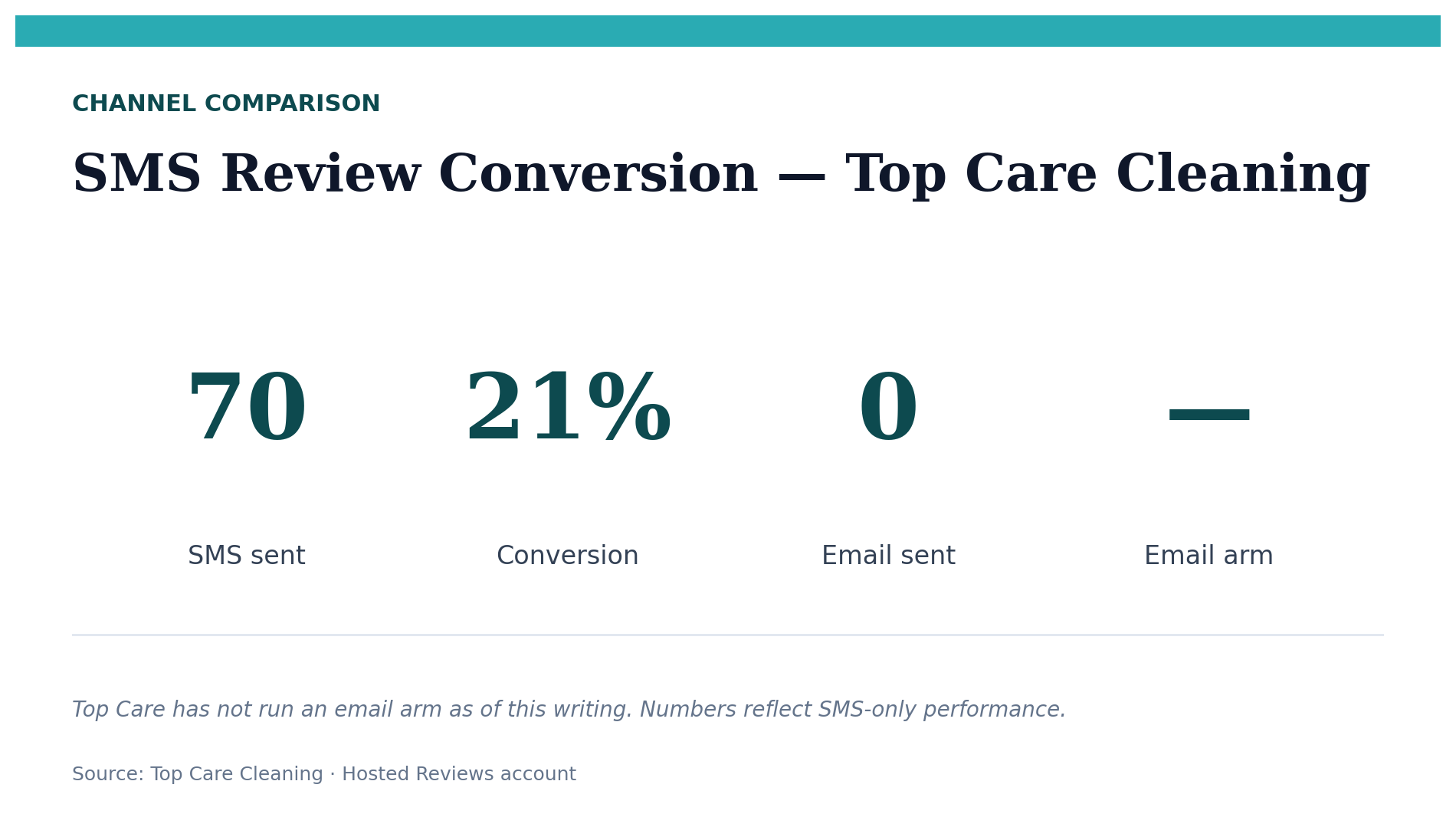
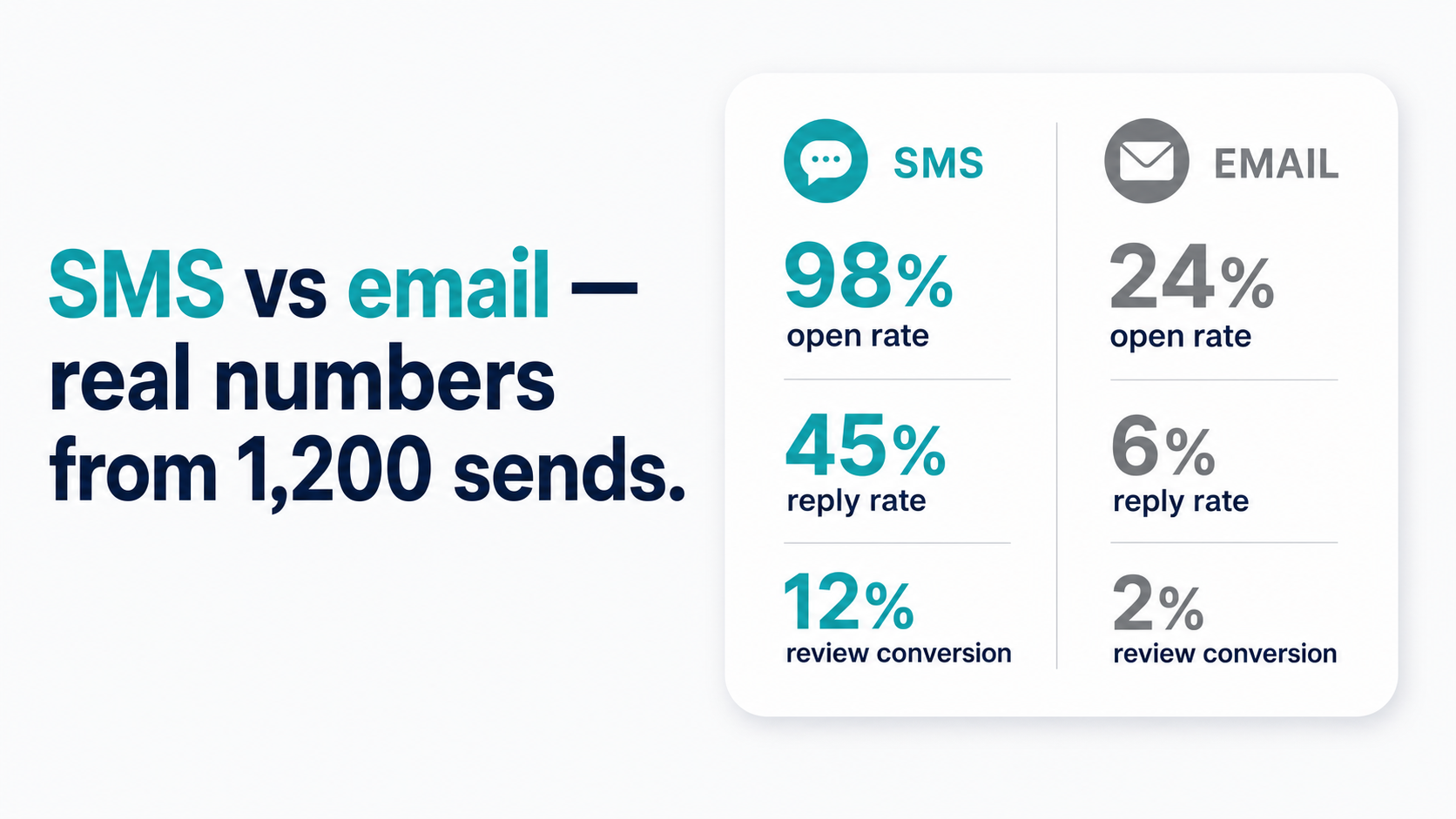
SMS converts at roughly 21% request-to-review in Top Care's data (n=70). Email benchmarks from industry sources suggest 2–5% conversion for review request emails in service businesses. The channel is not close — but channel choice also depends on where your customer data lives and whether you have a compliant SMS sender set up.
The headline numbers (what we actually know)
Here is the honest comparison. Top Care's SMS data is first-party. The email figures are industry benchmarks because Top Care has not run a comparable email arm as of 2026-05-04.
| Metric | SMS — Top Care (n=70) | Email — Industry benchmark |
|---|---|---|
| Open rate | ~98% (CTIA industry aggregate) | ~20–25% (Mailchimp service-business avg) |
| Click-through | ~40% (tap-yes rate) | ~2–5% (service-business CTR) |
| Review-to-send rate | 21% | 2–5% (estimated) |
| Median time-to-review | 2.5 hours | Not measured at Top Care |
| Reviews within 24 hours | 71% | Not measured at Top Care |
The email benchmark conversion rate for review requests specifically (2–5%) is an estimate derived from general email CTR data for service businesses — I am not aware of a published benchmark that isolates review-request emails from transactional and marketing emails. Treat it as a directional estimate.
Why SMS wins on timing
SMS messages are opened within minutes
Industry aggregate data from CTIA shows SMS open rates above 90%, with most messages read within 3 minutes of receipt. That speed advantage is particularly important for review requests because the review window is time-sensitive.
A customer who loved your service is at peak motivation to tell someone about it in the hours after the job ends. By the time an email review request arrives in a tab they open two days later, the specific details of the service have blurred. They remember it was fine. They do not remember the technician's name or the specific thing that impressed them.
Email review requests arrive in a tab the customer opens later
The structural problem with email for review requests is not the email format — it is when the email gets read. Even a 25% open rate means 75% of your review request emails are never opened at all. Of the 25% that are opened, the customer may open it on Tuesday from a Monday job, by which point the immediacy is gone.
Email is a consideration channel. People read email when they are in "email mode" — deliberately checking a tab, often at their desk. SMS is a notification channel. The message interrupts what the customer is doing and asks for a moment of attention right now.
That immediate attention, at the moment the service is still fresh, is why the SMS conversion rate is so much higher.
The 24–48-hour window and why it favors SMS
At Top Care, 71% of our reviews are left within 24 hours of the SMS review request. The window closes quickly — and SMS is the only channel fast enough to reliably hit customers while they are still inside it.
For a full breakdown of timing strategy — including day-of-week and time-of-day patterns from our data — see The SMS Review Request System.
Where email still makes sense
When the customer gave email but not a mobile number
This is the most common scenario where email review requests make practical sense: you have the customer's email address in your invoicing system but not a mobile number. The alternative is not asking at all — and not asking gets you zero reviews from that customer.
A review request email sent the day after service, with a personal subject line and a direct Google review link, still outperforms doing nothing. The conversion rate may be 2–5% versus 21% for SMS, but 3% of 100 emails is 3 reviews you would not have otherwise.
The practical approach: build your mobile number collection at every customer touchpoint (booking form, invoice footer, on-the-job ask) so that over time, SMS becomes the primary channel and email becomes the fallback. At Top Care, most customers provide a mobile number at booking because our form asks for it explicitly.
Email as a follow-up channel
One sequence that works well operationally: send the SMS review request on Day 1, and if the customer has not clicked by Day 3, follow up with an email to the same customer (if you have their email).
This two-channel sequence covers customers who missed the SMS (phone was off, switched numbers) and gives you a second opportunity without doubling up on texts.
Day 1: SMS ask → Day 3: email follow-up (if no response) → Day 7: no further automated contact.
The email in this sequence is lighter than the initial SMS — "Following up to see if you had a chance to leave us a quick Google review: [link]." The goal is a prompt, not a persuasion.
Subject line patterns that actually get opened
Three subject line structures that consistently generate above-average open rates in service business email marketing:
- The name + service reference: "How did your cleaning go, [First Name]?" — personal, specific, signals the email is about their actual job
- The direct ask: "Quick favor — could you leave us a review?" — honest, not deceptive, sets expectations in the subject line
- The thank-you framing: "Thanks for having us at your home yesterday" — relationship-first, not transactional
Avoid subject lines with "feedback request," "survey," or multi-step language ("Please complete our review process") — these feel like work, not a personal connection.
For full email templates and subject lines across different business verticals, see the email review request guide (publishing in the build cohort).
Compliance considerations by channel
SMS — TCPA opt-in requirement
Sending automated marketing texts — including review requests — requires prior express written consent from the customer under the Telephone Consumer Protection Act (47 U.S.C. § 227). A customer giving you their phone number at booking does not by itself constitute consent for automated texts. You need a documented opt-in: a checkbox, a signature, or a text-based confirmation.
Every automated SMS must also include your business name and an opt-out path (typically "Reply STOP to unsubscribe").
For the full TCPA rundown — including A2P 10DLC registration, opt-in language examples, and what the fines look like — see TCPA Compliance for Review Request Texts (publishing in the build cohort).
Email — CAN-SPAM basics
Email review requests to existing customers generally fall under CAN-SPAM's commercial email rules rather than the stricter consent requirements of TCPA. CAN-SPAM's core requirements for commercial email: an honest "From" address, no deceptive subject line, a physical postal address in the footer, and a working unsubscribe mechanism.
Review requests from a service business to a customer who booked with you typically qualify as transactional or relationship emails under CAN-SPAM, which have lighter requirements than promotional emails. That said, the line between transactional and promotional can be blurry — if your email includes promotional content alongside the review ask, the email is governed by the promotional rules. When in doubt, include the unsubscribe option regardless.
This section is a brief pointer. CAN-SPAM compliance is not this article's main subject — if you need detailed guidance, consult your email platform's compliance documentation or a business attorney.
Which channel should you start with?
The honest answer depends on one question: do you have mobile numbers for your customers?
| Do you have mobile numbers? | Have you run an SMS campaign before? | Start with |
|---|---|---|
| Yes | Yes | SMS — scale what you know works |
| Yes | No | SMS — the conversion rate justifies the setup investment |
| No | N/A | Email — still better than doing nothing |
| Partial (some SMS, some email only) | Doesn't matter | SMS first for those who opted in; email for everyone else |
If you do not have mobile numbers yet, start collecting them at every touchpoint while you run email review requests in the interim.
The two channels together (a simple sequence)
A combined SMS-first, email-supplement sequence covers more of your customer base than either channel alone:
- Day 1 (within 24 hours of job completion): SMS review request → screening message → review link for yes-tappers
- Day 3: Email follow-up to customers who have not clicked the review link (if you have their email)
- Day 7: No further automated contact
The email in this sequence is not a separate review request — it is a follow-up to the SMS ask. Use a short, casual tone: "Wanted to follow up on the text I sent earlier this week about a Google review — would really appreciate it."
For templates covering both channels, see Review Request Templates: SMS, Email, and In-Person Scripts That Work.
Once you have your templates ready, the key is getting the review link in front of customers as cleanly as possible. See How to Share Your Google Review Link for distribution strategy across channels.
Frequently asked questions
Is texting customers for reviews legal?
Yes, with proper consent. The TCPA requires prior express written consent before sending automated marketing texts. A review request is typically considered marketing. You need a documented opt-in at booking or point of service. See TCPA Compliance for Review Request Texts for details.
What open rate should I expect from a review request email?
Industry benchmarks for service businesses (Mailchimp/Campaign Monitor category averages) are around 20–25% for general email. A personalized, post-service email to a customer you just worked with typically performs better than the category average because the subject line is relevant and the sender is familiar — but "better than average" may still mean 30–35%, which is still far below SMS's near-universal open rate.
Can I use Gmail to send review requests?
For a few customers at a time, technically yes. Gmail is not designed for bulk sends — Google enforces sending limits and bulk Gmail sends from a personal account risk being flagged as spam. For a systematic review request process sending 20+ messages a week, you need a dedicated email platform (Mailchimp, Klaviyo, or a CRM with email functionality) or an SMS tool like Hosted Reviews.
What if the customer gave an email address but not a phone number?
Use email. It converts at a lower rate than SMS, but it still converts. Focus on collecting mobile numbers at your next customer touchpoint so you have the SMS channel available for future jobs with that customer.
How do I know if SMS or email is working better for my business?
Track the review-to-send rate per channel separately. In Hosted Reviews, SMS tracking is built into the dashboard. For email, use UTM parameters on the review link so you can see Google Analytics traffic source, or use a link-tracking service to count clicks per channel. Compare the resulting review rate per 100 sends for each channel.
What if I run both channels simultaneously for the same customer?
If a customer receives both an SMS and an email review request for the same job, the experience feels duplicative at best and annoying at worst. Use a sequence (SMS first, email only if no response), not a broadcast to both channels simultaneously.
The system that handles both
I built Hosted Reviews to run the SMS-first, email-supplement sequence automatically — so we are not manually tracking who got a text versus an email or checking daily whether a customer has reviewed. 14-day trial, no card required.
About the author
Alex Host runs Top Care Cleaning, a Grand Rapids home services company with 400+ Google reviews, and built Hosted Reviews to automate what he was doing manually. Reviews-facet bio.
I run Top Care Cleaning, a Grand Rapids home services company with 400+ Google reviews, and built Hosted Reviews after manually asking for reviews for years. The data in these articles comes from our own system. — hostedbrands.com/about