By Alex Host, founder of Hosted Reviews and operator of Top Care Cleaning.
Important: This article describes general patterns for navigating Google review situations. It is not legal advice. Defamation laws, fair-use boundaries for public responses, and the rules around naming/identifying customers vary by state and country. Before pursuing legal action against a reviewer, sending a cease-and-desist, or naming a customer in a public response, consult an attorney licensed in your jurisdiction. The author runs a residential cleaning business and is not a lawyer.
You got a 1-star review from someone who was never your customer. Maybe the name doesn't ring a bell. Maybe the scenario described couldn't have happened on any job you've run. Maybe the reviewer's account has zero other reviews and was created two days ago. You're angry — reasonably — and you want it gone.
Here's what to do, and more importantly, what not to do while you're still in that first hour.
How to tell if a review is actually fake
The first thing to do is not write a response or hit the flag button. The first thing to do is verify.
Signs a review is likely fake
- No matching customer record. The name, date, or scenario doesn't appear in your job log, booking system, or invoicing history.
- Generic complaint language. "Terrible service" with no specifics — no tech name, no job detail, no address. Legitimate complaints usually include at least one concrete detail.
- Reviewer has zero other reviews. An account created to leave one review and nothing else is a pattern Google's systems look for — and so should you.
- Timing is suspicious. The review arrived the same week a competitor opened nearby, the same day you had a dispute with a vendor, or immediately following a social media post where you mentioned a local competitor.
- Multiple new reviews in a short window. One vague low-star review is unusual. Three of them in 48 hours from accounts with no history is a different signal.
Signs you might be wrong
Before assuming fabrication, run these checks:
- Private customers sometimes use new accounts. Some customers create a Google account specifically to leave one review, especially older customers who don't use Google regularly. Zero review history doesn't automatically mean fake.
- Unhappy customers often don't explain. A 1-star with no text from a real customer who had a bad experience is more common than you'd think. They're frustrated, not articulate about it.
- Different name on file. The reviewer might have booked under a spouse's name, a business account, or a different contact.
The 48-hour rule
Don't respond until you've made a genuine effort to verify. Check your job records, your booking system, your CRM if you have one. Cross-reference the reviewer name, the implied date, the address if one is mentioned. Give yourself 48 hours. If you respond with a confrontational "you were never our customer" and it turns out they were a real customer using their middle name, you've made the situation significantly worse.
Once you've verified — or confirmed you have no record — you're ready to act.
Step 1 — Respond publicly before you flag
Flag the review after you respond, not before. Here's why: Google's flagging process can take days or weeks. During that time, the review is visible to every person searching your business. A public response goes up immediately and signals to future customers that you saw the review and engaged professionally.
Template for responding to a suspected fake review:
[Reviewer name] — after checking our service records, we don't have a record of a job matching your name, the date, or the situation you've described. It's possible there's been a mix-up with another business. If you were a Top Care customer and something went wrong, I'd genuinely like to hear from you directly — please reach out at [contact]. If this was meant for a different business, I'd encourage you to update the review. — [Your name]
TODO[REAL_RESPONSE: Insert Alex's actual public response to a suspected fake review pre-publish. Or synthesized with disclosure below if real response not available.]
Example synthesized from common Top Care customer scenarios — not a real customer. Patterns reflect Top Care's actual experience navigating residential cleaning negative reviews.
What the response does: It signals to future customers that you investigated. It leaves genuine room for error (the mix-up possibility). It does not accuse or name anyone. It gives the reviewer a path if they are real and need help. It gives the reviewer a path to correct a mistake if it is a genuine error.
What NOT to say:
- Don't use the word "fake" in the public response — state the factual discrepancy instead
- Don't name a specific competitor or suggest who you think is behind it
- Don't threaten legal action in the public thread — take that offline with an attorney
Step 2 — Flag the review through Google Business Profile
After your public response is published, flag the review.
How to flag on desktop
- Sign in to your Google Business Profile.
- Navigate to Reviews in the left menu.
- Find the review you want to flag.
- Click the three-dot menu (⋮) to the right of the review.
- Select Report review.
- Choose the policy violation that applies. The most relevant categories for fake or spam reviews: Spam or fake and Conflict of interest.
- Submit the report.
Google will review the flag and respond, typically within 3–5 business days. You won't receive a guaranteed notification of the outcome — check your profile after that window.
How to flag on mobile
- Open the Google Maps app.
- Search for your business and open your listing.
- Tap Reviews.
- Find the review. Tap and hold (or tap the three-dot menu if visible).
- Select Report review and choose the violation category.
How to flag via the Review Management Tool
For bulk flag management or if your GBP dashboard isn't showing the review correctly:
- Go to the Google Business Profile Review Management Tool.
- Find the flagged review in the list.
- Select Flag as inappropriate.
What Google will and won't remove
Google removes reviews that violate its Contribution Policy — not reviews it simply disagrees with. The categories Google enforces include: spam, fake reviews, conflict of interest, off-topic content, restricted or illegal content, harassment, and deceptive content. Negative opinions, even harsh ones, do not qualify for removal.
Cite: Google's Contribution Policy (accessed 2026-05-04).
For a full plain-English breakdown of what qualifies, see the Google review removal policy guide — coming in the build cohort.
What to expect after flagging
Google's process is automated in the first pass, with human review on escalation. The typical resolution window is 3–5 business days. Google may not send you a notification of the outcome — you need to check the profile after the window and see if the review is still there.
Honest expectation: in my experience, Google removes a minority of flagged reviews — anecdotally somewhere in the 20–30% range, but this varies wildly by case. A clearly spammy review from a zero-history account with no text has a better removal rate than a fake review that looks superficially like a real complaint. Don't count on removal as a guaranteed outcome.
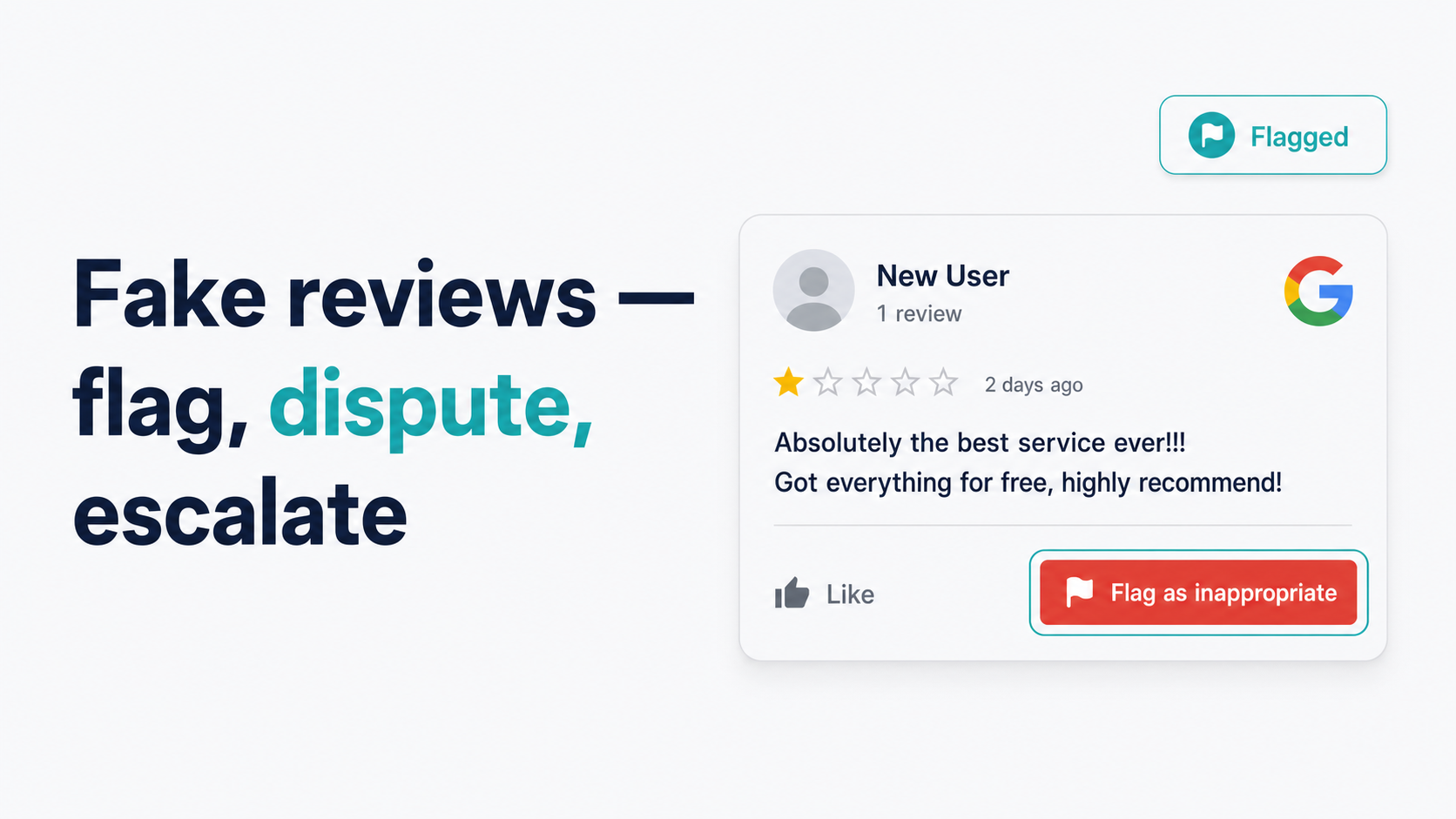
TODO[REAL_REVIEW: Insert Top Care suspected fake review screenshot here — annotated, with the reviewer's profile details showing zero review history. Anonymize. Swap pre-publish.]
Example synthesized from common Top Care customer scenarios — not a real customer. Patterns reflect Top Care's actual experience navigating residential cleaning negative reviews.
Step 3 — Escalate if Google doesn't remove it
If the review is still live after 5 business days and you believe it clearly violates Google's policy, don't stop at the flag button.
The Business Profile support chat path
Google's support chat is more effective than the automated flag button for cases where human review is clearly warranted. The path as of 2026-05-04:
- Go to business.google.com.
- Click Help (question mark icon, bottom left, or top right depending on UI version).
- Select Contact us.
- Choose the issue type: Reviews → Manage reviews.
- Select the chat option (available during business hours in most regions).
What to have ready when you reach support:
- The review URL — copy it directly from your profile
- Your Profile ID — visible in your GBP dashboard URL
- The specific policy violation you're citing — reference the exact category from Google's Contribution Policy, not just "it's fake"
- Any documentation — if you have records showing the reviewer was never your customer (job logs, booking data), have those accessible to describe
Be specific and factual. "This review is fake and was posted by a competitor" is harder for support to act on than "This reviewer has zero review history, the review contains no job-specific details, and we have no booking record matching this name in our system."
The legal escalation path — when to involve an attorney
This section describes the existence of legal options. It is not legal advice. Consult an attorney licensed in your jurisdiction before taking any of the steps described here.
Legal escalation is a real option in a narrow set of circumstances — specifically when a review makes provably false statements of fact (not just unflattering opinions) and you can demonstrate harm. What "defamation" requires, in brief factual terms: a false statement of fact (not opinion), publication to third parties, and harm to reputation or business. Whether a specific review meets that standard in your jurisdiction is a legal question that requires an attorney.
What an attorney can potentially do:
- Send a cease-and-desist letter to the reviewer (if their identity is known or discoverable)
- Pursue a defamation claim if the review makes specific false factual statements
- Seek a court order for review removal in extreme cases
The realistic costs: defamation litigation is slow and expensive. For a single fake review from an unknown poster, legal action is rarely cost-effective for a local service business. It's worth considering when: the reviewer's identity is known, the false statements are specific and provable, and the harm is ongoing and significant.
When to stop escalating and accept the review stays
Some reviews will stay. Google's process isn't perfect and its removal rate for flagged reviews is not 100%. If:
- Google has reviewed and declined to remove after escalation
- The support chat confirmed the review doesn't meet their removal criteria
- The review is negative but expresses a genuine (if unfair) opinion rather than a false factual claim
...then the review stays, and the right move is to accept that and manage the damage. Your public response is already doing the work. The next step is generating enough authentic positive reviews that one unfair negative review has diminishing impact on your overall profile.
How to minimize the damage while you wait
Google's review process takes time you don't control. During that window, two things are within your control.
Velocity response. Generate more authentic 5-star reviews from real customers. At Top Care's scale — 373 reviews at 4.9 stars — a single fake 1-star has modest mathematical impact. At 40 reviews, it's more damaging. The counterweight is consistent review requests after every job. For the system behind that, see the SMS review request guide.
Your public response is the visible signal. Every prospective customer who views your profile during the flagging window will see your response. A calm, factual, professionally written response to a suspected fake review communicates more about your business character than the fake review itself. Write the response for the future customer reading it — not for the reviewer.
Frequently asked questions
Can I sue someone for leaving a fake Google review?
Potentially, under defamation law — but this requires the review to contain provably false statements of fact (not just opinions), and you'd need to identify the reviewer and demonstrate harm. For most local service businesses, legal action against a single fake review is not cost-effective. Before taking any legal steps, consult an attorney licensed in your state. This is not legal advice.
Does Google tell me who flagged a review, or tell the reviewer I flagged them?
Google does not notify the reviewer that you flagged their review, and does not reveal the identity of the person who submitted a flag. The flagging process is confidential.
How long does Google take to remove a flagged review?
The standard window is 3–5 business days. More complex cases or escalated cases may take longer. Google does not publish a guaranteed SLA for review removal decisions.
What if the fake reviewer keeps leaving new reviews?
If multiple fake reviews are being posted from different accounts in a pattern, that's a coordinated campaign rather than a single fake review. Each new review should be flagged separately. When escalating to GBP support, document the pattern — timestamps, reviewer profile links, review text — and present it as evidence of a coordinated effort. See the How to respond to negative Google reviews playbook for the escalation ladder.
Can I pay someone to remove a fake Google review?
No. Companies that claim to "remove" Google reviews for a fee are either scamming you or using tactics that violate Google's terms of service and could result in your business profile being penalized. The only legitimate removal paths are: (1) flagging through GBP, (2) escalating to Google Business Profile support, or (3) legal process through an attorney.
Once you've handled the immediate fire, Hosted Reviews helps prevent the next one by routing unhappy customers to private feedback before they hit Google. Start a 14-day trial when the dust settles.
Related in this silo:
- How to flag a fake or spam Google review for removal — the step-by-step flagging procedure
- Google review removal policy — what Google will and won't remove — the full policy breakdown
- How to respond to negative Google reviews — the operator playbook — full response framework
About the author
Alex Host is the founder of Hosted Reviews and the operator of Top Care Cleaning Services in Grandville, Michigan — a residential cleaning company with 373 Google reviews at 4.9 stars over 45 years of family ownership. He writes about review management from the perspective of a working operator.
More at hostedbrands.com/about.