By Alex Host, founder of Hosted Reviews and operator of Top Care Cleaning.
Important: This article describes general patterns for navigating Google review situations. It is not legal advice. Defamation laws, fair-use boundaries for public responses, and the rules around naming/identifying customers vary by state and country. Before pursuing legal action against a reviewer, sending a cease-and-desist, or naming a customer in a public response, consult an attorney licensed in your jurisdiction. The author runs a residential cleaning business and is not a lawyer.
Flagging a Google review doesn't guarantee removal. In my experience, Google removes a minority of flagged reviews — anecdotally somewhere in the 20–30% range, but this varies wildly by case. A clearly spammy zero-history account with no review text has a better removal rate than a fake review that looks superficially like a real complaint. The cases where policy violations are explicit and obvious are more likely to be removed than gray areas.
Here's the full process — what to check before you flag, the exact steps, what to expect, and what to do when the flag doesn't work.
Step 1 — Check whether the review violates Google's policy first
Not every bad review qualifies for removal. Google's removal process is specifically for policy violations — not for reviews that are unfair, inaccurate, or that you simply disagree with. Before investing time in the flagging process, confirm the review actually falls into a removable category.
What Google WILL remove
Google's Contribution Policy (accessed 2026-05-04) establishes the categories of content eligible for removal:
- Spam and fake reviews — paid reviews, incentivized reviews, reviews from people who were never a customer of the business, coordinated review campaigns
- Conflict of interest — reviews from current or former employees, reviews from the business owner on their own profile, reviews designed to manipulate star ratings
- Off-topic content — reviews describing a different business or location, reviews unrelated to a customer experience
- Restricted or illegal content — content promoting illegal activity or regulated industries
- Sexually explicit content
- Terrorism or dangerous organizations
- Harassment, hate speech, or personal attacks — reviews targeting specific individuals with attacks, threats, or discriminatory content
- Deceptive content — impersonation, false attribution of statements to real people
For a full plain-English breakdown of each category with real-world examples of what qualifies and what doesn't, see the Google review removal policy guide.
What Google WON'T remove
This is where most flagging attempts fail. Google does not remove reviews that are:
- Negative opinions, even harsh ones. If a customer genuinely had a bad experience and says so, that review stays regardless of whether you agree with their characterization.
- Unflattering-but-accurate descriptions. A review describing exactly what happened, even if what happened reflects poorly on your business, is not a policy violation.
- Low ratings with no explanation. A 1-star with no text from a real customer is not removable on the basis of missing detail.
- Pricing or billing grievances (unless the language crosses into harassment).
- Reviews from customers you dispute. Disagreeing about what happened is not the same as a policy violation.
If the review falls into this category, your public response is the tool — not the flag.
Step 2 — Respond publicly before you flag
Flag the review after you post a public response, not before. Here's the reasoning: Google's flagging process takes days. During that window, the review is visible to everyone who searches your business. A public response is immediate.
A brief, professional public response to a suspected fake review signals to future customers that you investigated, found no matching record, and are engaging in good faith. That signal has value regardless of whether the flag succeeds.
Pre-flag response template for a suspected fake or spam review:
[Reviewer name] — after reviewing our service records, we don't have a record of a job matching your name, the date, or the situation described. It's possible there's been a mix-up with another business. If you were a Top Care customer and had a problem, I'd genuinely like to hear from you at [contact]. If this was meant for a different business, I'd encourage you to update the review. — [Your name]
For a full set of templates organized by scenario, see the How to respond to negative Google reviews playbook.
Step 3 — Flag through Google Business Profile (primary path)
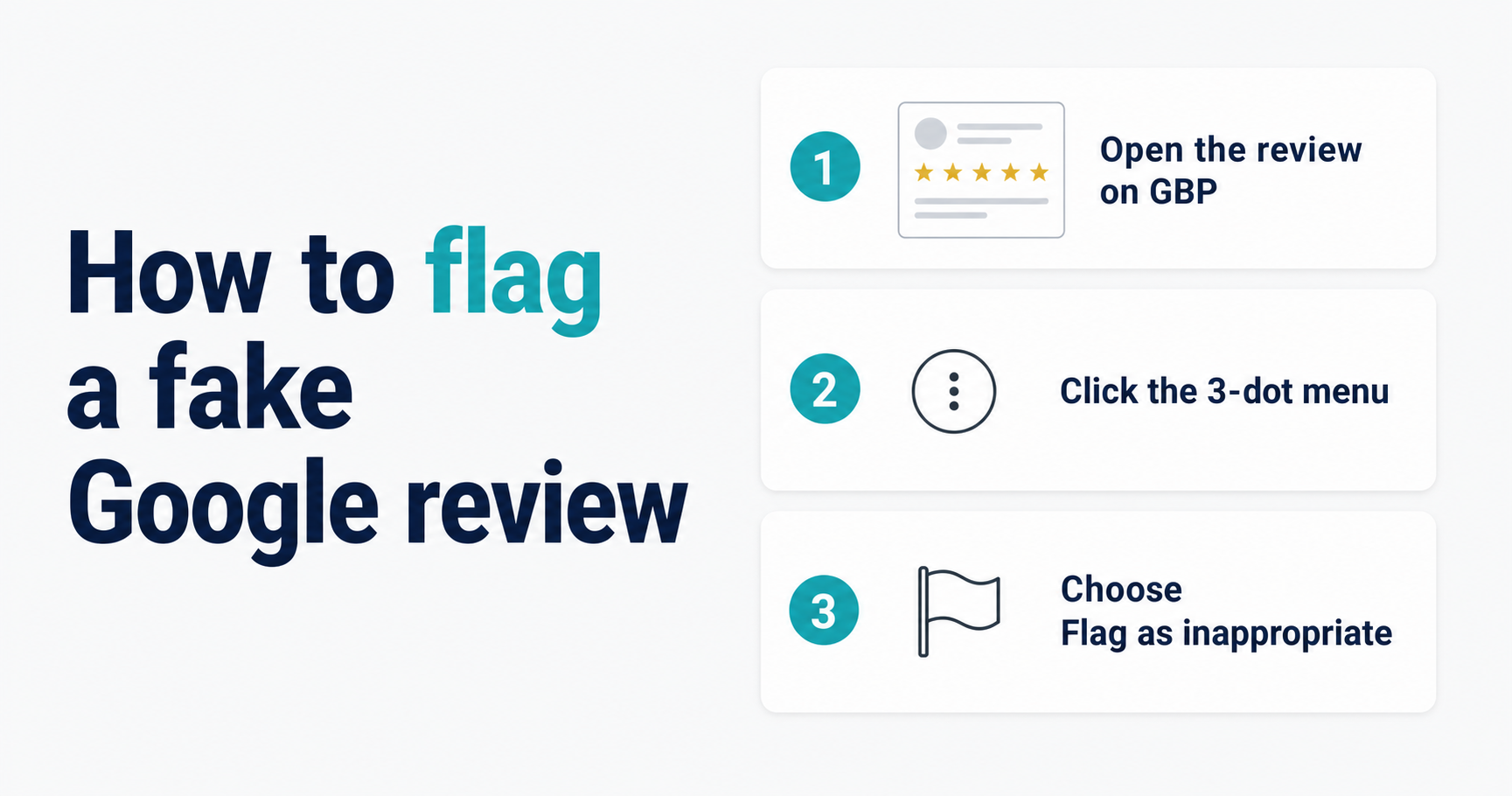
How to flag on desktop
- Sign in to Google Business Profile.
- Click Reviews in the left navigation menu.
- Find the review you want to flag.
- Click the three-dot menu (⋮) to the right of the review.
- Select Report review.
- In the reporting form, select the policy violation that best matches the situation:
- Spam or fake — for reviews from non-customers or suspected coordinated posts
- Conflict of interest — for reviews from employees, former employees, or competitors
- Off-topic — for reviews clearly describing the wrong business
- Harassment — for reviews with personal attacks or discriminatory content
- Submit the report.
Google will review the flag and respond within approximately 3–5 business days. You may or may not receive an email notification about the outcome — check your profile after that window.
How to flag on mobile
- Open the Google Maps app on your phone.
- Search for your business name and open your listing.
- Tap the Reviews tab.
- Scroll to the review you want to flag.
- Tap the three-dot menu next to the review (or tap and hold on some device versions).
- Select Report review.
- Choose the violation category and submit.
How to flag via Google Maps on desktop
If your GBP dashboard isn't showing the review or you prefer this path:
- Search for your business on maps.google.com.
- Open your business listing.
- Navigate to the Reviews section.
- Find the review, click the three-dot menu.
- Select Report review and choose the violation.
What to expect after flagging
Google's system processes flags in two stages: automated review first, human review on escalation or appeal. The standard window is 3–5 business days, but complex cases can take longer.
What Google will communicate: in most cases, very little. You may or may not receive an email with the decision. The clearest indicator is whether the review is still on your profile after the window.
Honest expectation: in my experience at Top Care, Google removes a minority of flagged reviews — anecdotally somewhere in the 20–30% range, but this varies wildly by case. TODO[VERIFY_STAT — frame as first-person estimate, not published data: "in my experience, Google removes a minority of flagged reviews — anecdotally somewhere in the 20–30% range, but this varies wildly by case."] Cases with explicit policy violations — a zero-history account posting a generic complaint with no job details — have better removal rates than cases where the review looks superficially like a real complaint from a real customer.
TODO[REAL_REVIEW: Insert Top Care flagging experience here — what happened when Alex flagged a review. Was it removed or not? Annotated screenshot. Swap pre-publish.]
Example synthesized from common Top Care customer scenarios — not a real customer. Patterns reflect Top Care's actual experience navigating residential cleaning negative reviews.
Step 4 — Escalate to Google Business Profile Support
If the review is still live 5 business days after flagging and you believe it clearly violates policy, escalate past the automated flag process to a human support agent.
When to escalate
- The flagging window has passed (5 business days) and the review remains
- The review appears to be part of a coordinated campaign (multiple reviews from similar zero-history accounts)
- The review contains explicit policy violations that should be straightforward to assess
How to reach GBP support chat
The path as of 2026-05-04. Note: Google's support UI changes frequently — this may look different at your time of reading.
- Go to business.google.com and sign in.
- Click the Help icon (question mark, typically in the bottom left or top right depending on your UI version).
- Select Contact us or Get support.
- Choose issue type: Reviews and photos → Manage reviews.
- Select the Chat option. (Chat is available during business hours in most regions; if it's not showing, try the email or phone options.)
What to have ready when you reach support:
- The review URL — copy it directly from your Google profile or from Google Maps
- Your Business Profile ID — visible in your GBP dashboard URL (the numeric string)
- The specific policy violation you're citing — reference the exact category from Google's Contribution Policy, not just "it's fake"
- Documentation if you have it — a screenshot of your job records showing no matching customer, timestamps of when suspicious reviews appeared, reviewer profile screenshots showing zero history
How to frame the request to support:
Be specific and factual. "This review is fake from a competitor" is harder for support to act on than: "This reviewer has zero review history, the review was posted [date], contains no job-specific details, and we have no booking record matching this name or scenario in our system. The review appears to violate the spam and fake review policy."
The support agent has a narrow set of actions they can take. Giving them a clear policy peg to hang the removal on makes their job easier and your removal more likely.
Step 5 — Legal escalation (when all else fails)
This section describes the existence of legal options — it is not legal advice. Consult an attorney licensed in your jurisdiction before taking any of the steps described below. Defamation laws, the standards for proving a false statement of fact, and the practicalities of court-ordered content removal vary significantly by state and country.
Most local service businesses will not reach this step. Legal escalation is a consideration when: Google has declined to remove the review after escalation, the review makes specific provably false statements of fact (not just unflattering opinions), and the harm to your business is ongoing and significant.
What defamation requires (brief factual description — not legal advice)
For a statement to be actionable as defamation, it generally must be: a false statement of fact (not an opinion), published to others, and the cause of demonstrable harm. Whether a specific review meets that standard in your jurisdiction requires an attorney's analysis. "Terrible service" is an opinion. "This company stole my grandmother's jewelry" is a statement of fact that can be true or false.
What an attorney can potentially do
- Send a cease-and-desist letter to the reviewer, if their identity is known or discoverable through legal process
- Pursue a defamation claim if the review contains specific false factual statements and harm is demonstrable
- Seek a court order for content removal in cases involving ongoing harm
The realistic cost and timeline
Defamation litigation is slow and expensive — typically 12–24 months for a case to resolve, with legal fees that can reach five figures regardless of outcome. For most small local businesses, the calculation doesn't favor litigation over a single review. It becomes more relevant when: the reviewer's identity is known, the false statements are specific and documented, or the campaign is ongoing and causing quantifiable business harm.
For most businesses dealing with a single suspected fake review, the right escalation path is: flag, escalate to support, accept if not removed, manage via velocity response.
For an active coordinated campaign — multiple reviews in a pattern — see How to deal with fake or spam Google reviews for the full approach.
While you wait — damage control
The flagging process is not fast, and it doesn't always work. During the waiting window, two things are within your control.
Velocity response. Generate more authentic 5-star reviews from real customers. The mathematical impact of one fake 1-star diminishes as your review volume grows. A business with 40 reviews takes more damage from one fake 1-star than a business with 373. Consistent review requests after every job build the buffer. For the system behind that, see the SMS review request guide.
Your public response. The response you've already written (Step 2) is doing work while you wait. Every prospective customer who views your profile during the flagging window will see your response — a calm, professional, investigative reply that signals you're attentive and accountable. That response has value independent of whether the review gets removed.
Frequently asked questions
How long does it take Google to review a flagged review?
The standard window is 3–5 business days for the initial automated review pass. Escalated cases with human review can take longer. Google does not publish a guaranteed SLA for this process, and the timeline varies significantly by case complexity and the clarity of the policy violation.
What happens if my flagged review is not removed?
If Google reviews the flag and determines the review doesn't violate policy, it stays. You can escalate to GBP support chat if you believe the automated system missed a clear violation. Beyond that, the options are: accept the review, manage it via your public response, generate authentic review velocity to dilute its impact, or — in cases with specific false factual claims — consult an attorney. This is not legal advice.
Can I flag the same review multiple times?
Flagging the same review repeatedly after a decision has been made typically doesn't change the outcome. A more productive path is escalating to human support with new documentation or evidence, rather than re-submitting the automated flag. If you have new evidence (e.g., a pattern of reviews from similar accounts), present that when escalating.
Will the reviewer know I flagged their review?
No. Google does not notify reviewers that their review has been flagged or who submitted the flag. The process is confidential.
Can I track the status of my flag request?
Google does not provide a real-time tracking interface for flag status. The practical way to check: look at your profile after the resolution window (3–5 business days) and see whether the review is still there. If you escalated to support chat, the support agent may have given you a case reference number — check back via the same chat channel with that reference.
Once you've handled the immediate fire, Hosted Reviews helps prevent the next one by routing unhappy customers to private feedback before they hit Google. Start a 14-day trial when the dust settles.
Related in this silo:
- How to deal with fake or spam Google reviews — broader context on identifying and managing fake reviews
- Google review removal policy — what Google will and won't remove — full policy breakdown
- How to respond to negative Google reviews — the operator playbook — full response framework
Note: Google's GBP support UI and flagging process change frequently. Screenshots and step-by-step instructions in this article are verified as of 2026-05-04.
About the author
Alex Host is the founder of Hosted Reviews and the operator of Top Care Cleaning Services in Grandville, Michigan — a residential cleaning company with 373 Google reviews at 4.9 stars over 45 years of family ownership. He writes about review management from the perspective of a working operator.
More at hostedbrands.com/about.